Categories
Games Reviews

Hit the Friendly Sky with HelidroiD 3D Full Edition

App Name: HelidroiD 3D Full Edition

Developer: G-xo Games

Cost: Free /in-app purchase

Market: Google Play

Review:

HelidroiD 3D is a simple yet challenging game where you need to pilot your helicopter from point A to point B. The game reminds me of Toy Store. Yes that seems kind of random but it the music and graphics remind me of Andy’s room. LOL


The controls to the game are very straightforward. You can use an screen joystick or use the gyro. There are no sensitivity setting so you will need a steady hand. No matter which you use, there is an onscreen bar to the left which will make the helicopter either land or take off.

The game has also been setup to use the Zeemote controller, a BlueTooth wireless controller.

The game has 1 tutorial and 30 missions for you to complete. Each mission has a different objectives, such as where to land, shoot things, fly through things, and etc. You won’t get bored.

You have to play the mission in some order. If you want to jump ahead you can only go about 3 missions (from where you are at) and you will need to have gotten at least 1 star in that last mission. For each mission you are graded on your results. You can earn up to 3 stars.


The graphics and musics in the game are well done. The thing that I like most about the game is that it is not easy. I have yet to get 3 stars in any mission. As I mentioned the controls are straightforward, but for me it is all about having a smoother touch and less jerky reaction. But it presents a challenge and I like challenges.

The game is free but ad supported. The developer uses Admob and ads are shown only during the loading of the game. You can remove the ads with a small in game purchase.

Another icon I noticed in the game was Giftiz. I was not familiar with it and asked the developer about it. “Giftiz is a new system which lets you earn gift when you accomplish some missions in diferrent games.”

I also asked the developer what was coming down the road. Well he is currently working on Helidroid 2, that will hopefully be released in December 2012. In this new game, you will be able to control 3 diferrents army helicopters and the goal is to kill the other AI controled helicopters.

Overall this is a great little app.It seems easy but will challenge you and let you see how good of a pilot you are. I look forward to doing better in the game and the new versions coming out later this year.

Categories
Games Reviews

Lili (Lara Croft’s Daughter) Has Her Own Adventures

App Name: Lili

Developer: BitMonster Games

Cost: $4.99 USD

Market: iTunes

Review:

Lots of gamers are looking forward to the new version of Lara Croft set to release next year. The new version presents the legendary explorer in different light, a softer version, a more feminine Ms. Croft. Perhaps that is in keeping with the application that’s got rave reviews from leading technology sites, experts and gamers this year. Called Lili, the game fits beautifully with the new iPhone5 and introduces us to a new aspect of the life of Lara Croft.

Lili is Lara’s daughter, a young woman in college with an incongruous vegi-magic degree who likes to search for flowers and loves the wilderness.Her search takes her to an island where the ruins from a long time ago are haunted by plant spirits and their constructs. Lili sets out to rid the ruins and the island of these dictatorial spirits.

Since the game is set in the wilderness, users are treated to all sorts of graphics. Whether it is exploring the ruins, the number of creatures that dwell in that parallel world or the beauty of the landscape, the visual impact is rich and immense.The graphics that run the game come from Unreal Engine 3 and they can give any game graphic a run for its money. The ruins are Polynesian and Latin American and so there’s plenty of detailed carving, exotic plants and handmade furniture to feast your eyes on. That’s right, you can’t do much with all these details but who’s cribbing.

The graphics are lovely for all the attention to details therein. There’s all these tiny flowers that dazzle amidst all the green, the leaves catch the breeze and sway to the rhythm and the houses have pretty decorations which are one-of-a-kind.

Using the game is pretty simple too. A simple tap gets Lili to walk or run and a swipe makes her change direction. You can select urns and chests by just tapping on them. If you need to, you can break them in the same fashion too. Yes, all the other objects are to be seen, not touched. But they are so lovely to look at, that’s fine by us.

It’s fun to defeat the spirits. The trick is to jump on them and then pluck as many of the flowers they have on them. Get a good number and that spirit is gone for good. But not without a fight. The spirits actually grow noxious stuff to throw you off your game. But help comes in the form of power-ups and there are always in-app purchases if you really need ammunition.

The game works at all levels. It’s great for kids because Lili gets knocked down but does not die. It’s great for grownups who get to enjoy all the amazing graphics and other features the game comes loaded with. Perhaps it is towards the former group that a lot of inexplicable, caption laden objects are directed. They serve no purpose in the game but perhaps are meant to be instructional. One can only guess.

There are perhaps dialogues meant to reinforce Lili’s college age; which means as an adult you might be a little disappointed by the silly lines she spouts. Some of the lines go nowhere! There’s also the occasional bug which requires a reboot which means a change in location, which is not good at all.

The game could give you hours of fun and unusual gaming experiences so you should give it a try. Explore a botanical world with a very unusual young girl.

About the Author:  Dazzle Rogers of workwelltogether.com, a site that offers savings and current information on comcast bundle packages for cable and internet.

Categories
Reviews

Save the Miners While Destroying Aliens – Galactic Encounters

App Name: Galactic Encounters

Cost: Free / in app purchase to unlock

Developer: AlgorithBit

Market: Google Play

Review:

Galactic Encounters reminds me of those fun space arcade games I used to play. The premise is simple, save the miners from the alien attacks. The background: in the future we humans are forced to mine on other planets, specifically planet G530. Well we need to help the 150 miners flee and make it to the escape ships. Of course the evil aliens know what you are doing and are coming to stop you. You will not be able to save them all but you have to try.

The game controls are very straight forward. You have two virtual joysticks. The left joystick moves your ship back and forth across the terrain, while the right joystick changes the direction of your cannon. Firing is automatic so you simply need to move into position to destroy the flying enemy and objects. I say simply but it really isn’t that simple.

There is a ton going on at one time and it is hard to keep up with it all. After a few tries I found if  you are gentle on the joystick and focus on moving over short distances then you will do better. Do not try and race back and forth across the screen.

Another key to doing well is getting the bonuses. The free version only has the ammunition bonus,while the paid version enables all other bonuses. To upgrade to the pro version there is a one time in app purchase that unlocks them all. I would recommend getting the pro version if you want to try and beat the game! I am also glad there is a pause button to the game.

I spoke with the developer and he plans to support the game in terms of bug fixes. He does have a second mission sketched out if the game should do well.

So if you enjoy hard space type shooter then give Galactic Encounters a try.

From the app listing: GALACTIC ENCOUNTERS GAME LAUNCH CONTEST 
The first player to achieve the gunner rank of MARVEL and submits the game code displayed on the bottom right
corner of the winning game screen will win a $100 prize. Minimum game version of 2.1 required to receive game code.
Submit code to algorithbit@gmail.com with game code in the subject line.

Categories
Reviews Weather

Weather Services PRO for Android


App Name
: Weather Services PRO

Cost: Free / $3.79 Pro

Developer: Weather Services Group

Market: Google Play

Review:

Probably one of the first apps I downloaded on my DroidX, was a weather app. You always need to know what the weather is going to be. Well over the years I have tried many apps, websites, and widgets to provide weather information. I think I have seen almost all of them.

I recently came across a new weather app called Weather Services and it looks pretty cool. There is a free version and a pro version. The free version is good but you do get a number of reminders about upgrading to the full.

Overall there is a lot to the app. Before I go over what weather information, lets look at the app itself. when you first turn it on, you are given a nice option screen where you can set the units you want and of course the location.


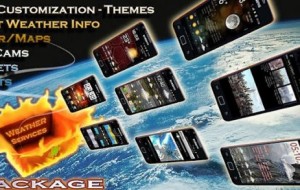
The app allows you to customize the look with a large number of different themes. In addition to the themes you can customize the fonts, font colors, outline, and the text. The app has a number of home screen widgets you can use and even with them you can change the background and fonts.

The huge number of customizations of this app is a big plus for me. I like to be able to make apps look and feel the way I want. Now that we have looked a bit at the cosmetics, how about the weather part of the app.

As with any good weather app, you can select a location or you my location. I took the app with me on a trip a few hours away and it found my locations pretty quickly. In addition to the widgets, the app has a small icon on the notification bar which shows the temperature.

The app also lets you pick which weather provider you would like to use to draw your weather information: YR.no, WeatherBug, and Google Weather. The user interface contains a lot of information but the layout is easy to follow and does not seem cluttered. The main page gives you the time/date/location and some general info such as dew point, humidity, sunrise, sunset. There is also a 5 day forecast.


If you swipe the bottom part of the screen you will pull up some features that are only available in the pro version. The pro version gives you a series of 5 day charts graphically showing temperature, precipitation, and humidity.

If you hit the menu button, a small menu will open up. Here you can access a series of maps- precipitation, cloud, temp, wind. Again this are only available in the pro version but they look really cool. In this menu you can access local webcams, the charts, set location, and change settings.

The app worked very well for me and provides a nice bit of weather information. If you have more questions about the app,make sure to check out the developer’s website they have a lot of information.

I have mentioned the pro version a bit, so what is different. In the pro version, you can set up to 10 locations (free version only has up to 3). There are 31 themes available for pro version (7 for free version), and of course the charts and webcams are unlocked.

The developer has indicated to me that next update will give the app compatiblity with tablets, and will additional languages.

Weather Services is a nice weather app that provides a ton of customizations and some nice features such as charts and maps. So if you are looking for a weather app, this should be on your list to try.

Categories
Games Reviews

Great Puzzle Game for Android-Push Box

App Name: Push Box- Sokoban

Developer: Rafael Martin

Cost: Free (in app purchase)

Market: Google Play

Review:

Looking for a challenge? If you like puzzles, you need to try Push Box. At first glance, you might say, I have seen this before or very simple graphics, what is the big deal. Yes both of those things might be true but Push Box was a nice surprise when I tried it.

Your job in Push Box is to move the boxes in the play area to cover the x’s. Now you can only push the boxes up/down and left/right.  You can tap or swipe to move. Now watch out for the corners! I really have come to like the game. It definitely is a challenge at times and some times not much of one.

The game comes with 8 areas with 30 levels in each area- so there is a ton of game play.  No stars or coins or score- you finish the level or you don’t.

The developer has indicated that more updates are coming. Also to celebrate the game, the developer has given us 5 promo codes so download the game and pick up a code to unlock everything in the game!

07707035

06087755

02122221

82358651

08780443

Hurry- they expire on August 15th.


Categories
Reviews

Zombies in Your Neighborhood – Parallel Zombies Review

App Name: Parallel Zombies

Cost: Free

Developer: PerBlue

Market: Google Play

Review:

The time has come – the zombie apocalypse. What happened? A few months ago the entire world fell to its knees in the face of the most infectious plague the world has ever seen. At first it appeared as though people were simply getting sick, but the infection was more sinister than that. The dead began to rise from their graves, and very few survived the initial wave.

Your job? Slay zombies, Save lives, Survive!

Parallel Zombies from PerBlue was launched today;  it’s their 3rd location based MMORPG game and this one is excusive to Android. If you have played Parallel Kingdom or Parallel Mafia,you will some idea on the general concept of the game. Parallel Zombies uses your GPS location and then places the game on top of Google maps so you are literally playing in your street and town.

From the developer: Using Google Maps’ satellite view, players interact virtually with real locales all around them. Places like airports, hospitals, and graveyards spawn in their real-life location. Players travel the planet as they complete dangerous missions at some of the world’s most famous landmarks, including The White House, Area 51, and the Pyramids of Giza.

You begin the game by customizing your own character and picking a class. You can be a soldier, hunter or doctor. Each has its own unique abilities and skills. So there are 3 classes and 3 tracks of skills and 9 skills within each track. If you want later on, you can reset your class and skills and try something new. After you create the character, the game will take you through a small tutorial to familarize you with the game’s goals, controls, etc

Unlike the other parallel games, in Parallel Zombies, the main emphasis is going to different locations and helping NPCs with various missions. As you work through and complete missions you will find and get numerous items, which you could use, trade, or sell. Establishing relationships with the NPCS will be the primary form of travel.

Also in the game you can access what is called the Groups tab. Here you will be matched with allies to complete quests and of course find new friends. In the game you can also craft items. With this you can improve your ax or shotgun to be more deadly when dealing with the 15 different types of zombies you will encounter.

Ok, so how is the game play? I was able to play the alpha version of the game and it is fun. I am not a big zombie game player but running around my virtual town and chopping up zombies with an axe is pretty cool!

The graphic and sound are excellent and game play is pretty smooth. I really like how this game is mission based so you can play on your own but at the same time, easily hook up with others for some team play. You can pause the game if needed but most missions did not take a long time and I found a ton of stuff along the way. My storage kept getting filled up quickly. Crafting was  a big help.

The game is very well done. Overall there is a ton to the game: single and group play, customized characters and classes, crafting, trading/selling, travel…it will definitely keep you entertained. I am excited about restarting my character, leveling him up, crafting better weapons, killing zombies, and seeing where the game will take me.

If you like killing zombies, enjoy MMORPG games and have some time on your hand, head over the Google Play market and download the game. Did I say it is free and only on Android?! Your town will thank you for saving them!

Feel free to contact me in game (Sulliman) if you ever want to do some group play.

A few side notes about Parallel Zombies vs. the other Parallel games:

  • Controls: You will use a virtual joystick to move about and attack your enemy.
  • Subscription: There will be no subscription model in Parallel Zombies – once you make a purchase in-game, you will forever be a ‘VIP’. VIPs enjoy 30% more experience points after completing missions.
  • Food: As with Parallel Mafia’s credits, you need Food to level up and buy specialty items.
  • Trading: Exists in Parallel Zombies, but is not as large of a component as in the other games. Players in Parallel Zombies can trade swag, but not dropped resources.
  • Travel: Eventually players will be able to build safe houses that allow them to travel back to places they’ve been previously.
Categories
Finance Reviews Shopping

Online Shopping Made Easy – QUICK for eBay & Craigslist

App Name: QUICK for eBay & Craigslist

Developer: Quick Technologies

Cost: Free

Market: Google Play

Review:

Looking for a great deal? Then you have probably searched eBay and/or Craigslist to try and find what you wanted.  Both of these sites make it easy to find and sell whatever.  Yes each of these sites have an Android app but we recently found this app, QUICK for eBay & Craigslist, from Quick Technologies, that combines both sites/services  into one app.  Whatever saves some time is worth a look.

QUICK for eBay & Craigslist is a free app that allows you to list or search an item for each service.  Lets cover the search feature first.

When you first turn on the app, you will need to create an account. After that you can search by location, browse the inventory, or scan a bar code.  When you select location, the app who show you items located near you on Google maps. You can also search by keywords. The browse area will show you items based on categories such as books, electronics, home and garden, and so on.  The scan feature allows you to scan  an existing bar code and see if it is listed anywhere.   With each of these you can easily filter your results based on distance from you, price, and ending time.

From the screenshots below you can see are items are listed. When you find an item you are interested in, a new window will open and show you the details of that item. There you can purchase or make an offer. There is also the ability to share the item info with others.

Screenshots:


Selling an item is also very easy. You can provide details, photos, payment options you accept and where you want to list it.  It really is very simple.

After checking out the app, I headed over to their website and found that the service is much more than an app, so I contacted them to get some more information. Here is what I asked.

Q. Can you tell us how your service works?
A. Our service is very simple basically you take an item you would like to sell snap a picture of it, scan a bar code or search for a product model, fill out the marketplaces you want to post it on (Craigslist,eBay or FB) and then upload it to our server and we handle the rest. When your product get’s sold on one marketplace such as eBay we take it down everywhere else so you don’t end up selling the same item twice. Also as a side note we offer a unique feature for Facebook that allows you to set a “friends only” price for anyone you are friends with.

From a buyers perspective you can either look at items nearby or touch browse and than see items either locally or nationally. We allow you to communicate with sellers in real time using our in app messaging system. We also log all parts of the transaction in the in-app messaging system (offers, payments etc) to minimize confusion between both parties.  We also offer free image hosting for both eBay and Craigslist.

Q. Is the smartphone app required to use your service?
A. You will be able to buy things from our website after our next release without the smartphone app and we may in the future allow people to sell things from the website.

Q. What future plans do you have? (Other than getting an iPhone app)
A. We will be offering support for Google Shopping as well as website buying in our next release (version 1.1) which will be out in the next couple of weeks.

Overall QUICK for eBay & Craigslist looks to be a pretty cool app/service. As it relatively new there is not a ton of items but as they expand and more folks learn about it, that should change quickly. I like the idea that you can use your smartphone or website to search and list and filter your results based on criteria you provide.  The app is free,  there are NO ADs or fees so if you are a eBay or Craigslist user, I recommend you give QUICK for eBay & Craigslist at shot.