Categories
Articles iOS

How to Use the Notifications feature of iOS 6

Apple launched its latest iOS 6 recently. The iPhone 5 comes loaded with this OS. However, you can check if your Apple products can be upgraded to this latest OS platform. With iOS 6, Apple has revamped the notification feature. The all new notification feature includes banner notifications, notification status, customized notification for each mail account and do not disturb among other features.

The all new notifications feature comes with the following features

  • Notifications are displayed on the look screen. All it takes is just a swipe to respond to notifications.
  • All notifications can be viewed in one single place through the notification center.
  • Swipe down the status bar to access notification center from any app. If you wish to do away with the notification center, swipe up and it disappears.
  • Notification center allows you launch the respective app to respond to a particular notification.

All these features are being well received among iOS 6 users.

How to Use the Notifications feature of iOS 6

You can use the notification feature of the iOS 6. A few of the popular features and their uses have been discussed.

Do Not Disturb

If you do not wish to be notified of the latest tweet you receive or if you do not want be disturbed by a note reminding you to wish your friend on her birthday, simply turn on Do Not Disturb. To access this feature go to ‘Settings’ hit ‘Notifications’ and finally select ‘Do Not Disturb’. You can turn this option ‘On’ or ‘Off’. This feature lets you schedule the time that you do not wish to be disturbed with notifications and reminders. The ‘Schedule’ option lets you set a ‘From’ and ‘To’ time that you do not wish to be disturbed. When Do Not Disturbed feature is turned ‘On’ you will notice a small half moon sitting on the ‘Status Bar’ of your Apple device, very close to where the time is displayed. Once this option is turned ‘On’, you will still receive all your notifications, calls, texts and alerts, however, you device will remain silent and dark.

Setting up of custom alerts and notification for individual email accounts

Before the iOS 6 was launched, users received the same alert and notification for every mailbox linked with the Apple device. This new feature lets you manage multiple email accounts from your Apple device. You can have a personal signature set for every email account and you can adjust notifications depending on how important the email account is.

The VIP email feature introduced by Apple has only gone a step ahead in making mobile email more powerful. The VIP email inbox allows you prioritize the emails you wish to read. This is one good way of doing away with spam email if you receive any. You can gain quick access to all your important emails.

To start using this feature select ‘Settings’ go to ‘Notifications’ and then select ‘Mail’. You will find a list of email accounts. Once you have selected a mailbox form the list, you can customize notification options. You can specify the kind of alerts, new email sounds and notifications that you wish to use for your mailbox.

Apart from these new notification features on the iOS 6 platform, there are other features that you can take advantage of. Nevertheless, the notification center could have done better had it been accessible from the lock screen.

 About the Author: by Nathan Brown of buyatt.com, a site that offers savings and current information on ATT Uverse Internet .

Categories
Articles

Latest iOS Apps for Business Use

One of best things of possessing the iPhone is that you can have instant access to lots of apps. Many of the apps which have been downloaded may not work well or may prove to be invaluable. If you are a business professional and want to use the business apps then it is better to know which apps suit your requirement. Some of the common finance apps for the business are:

Analytics App: It is a good and useful app for the website owners and bloggers. It gives the reports in an organised manner. This app makes it easier on mobile than using this app on the desktop browser to check and analyse the websites statistics. You can view the stats for the one day, 1 week or 1 year period of time. You can check the traffic sources to your site like from where it is coming and what are the reference sites. You can know the complete user behaviour of the website.  You can also get information like by through which searched keywords has the user landed on the site. The minimum requirement to use this app is iPhone, iPod with iOS 4.3 or above.

Flight Track Pro: If you often travel by air and want to know the updated information of flights then this app is very useful for such persons. This app contains the details of almost of every commercial flight that is operating throughout the world. Flight Pro apps allow the user to check arrival time, departure time, duration of the journey and also the weather conditions. This app can also be used to search the flights. To find the flight you need to know about from which airline you’re travelling and from which location, if you know the flight number then you can search it using this app. This app features amazing maps for users.

Biz Expense Tracker: Many people need to keep track of their personal or business related accounts to check their credits, bills, Instant loans and much more. So such people can use this app for the tracking of expenses and incomes for their business and personal use. Because of its  user friendly interface it is most popular and these features make it an essential app for the tracking finances. This app can be used without any knowledge of finance or accounting. By using this app you can email the expenses and reports that are generated.  This app can also be used on the desktop or Drop box. This app supports all the major currencies of the world. You can also sort the reports by the category, date, payment type etc. the app also boasts secure password protection.

Evernote: It is a free business apps which helps to recollect everything. You can save ideas, take notes, photos, videos, reminder of the important to do lists and also record yourself. This has been rated by the New York Times in the Top 10 Must have apps for business and personal use. Some of the important features are you can sync all the data between your desktop and mobile, save edit and share files. You can also share the file to Facebook accounts with friends and colleagues.

About the Author: Michelle is a regular financial blogger who loves to share her interest on the web. Hailing from financial industry, some of her published works are available at financeport

(photo credit: blakespot via photopin cc)

Categories
Articles

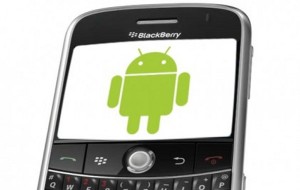
How to run Android apps on a Blackberry Playbook?

Blackberry lovers have been embarrassed at the tablet’s lack of apps until RIM announced that the version 2.0 OS can help them download and run Android apps. The result of jumping into the field without prior preparation is always a bitter pill to swallow. RIM should have launched Playbook after strengthening their App World by developing apps that users will need.

Upgrading your Playbook to OS 2.0 and running Android apps is an easy 5-step process.

1. Upgrade the Operating System: To upgrade the OS to version 2.0, find out the PIN number of your tablet from the Device Settings Page. Click on the down arrow next to the About option. In the drop down menu, choose Hardware. You will find the PIN number at the top of the page. Submit the PIN number to RIM to start the process. Once you enter the PIN, follow the instructions given and make sure you complete the installation within 24 hours or else you will have to start it all over.

2. Set Playbook in Development Mode: Setting your tablet in development mode is just a piece of cake. Access the Security Pane and choose Settings and set a password for your tablet. You will have to provide this password whenever you want to download an app or make other changes. Change it to Development Mode and give the password when it prompts you. Return to the main screen after setting it to Development Mode.

3. Install Java: The next step is to run Java Runtime Environment. This is essential to install .BAR files. As you can’t install an app directly from Android App Store, you will have to convert .APK file into .BAR file to make the apps work in your Playbook. The Java program can be downloaded from the Oracle website. Search for 346243.html using the small search field found at the top right corner in the Oracle website and click on the link. Follow the instructions given in the website to install Java program in your Playbook.

4. Equip Yourself with the Required Tools: There are more tools to be downloaded in order to download apps. You will have to download Playbook toolset, developed by HaTax to actually bring the apps into your Tablet. It is .zip file and can be downloaded from the Internet easily. Unzip the file and open the file with the name PB-Installer with notepad application. Key in the IP of your Playbook and the password you have created, save and close the notepad.

5. Choose and Install Apps: The next step is to choose the apps you want to use. All apps do not work in Playbook environment. so On checking the free database Google has published, find out which apps work and choose the ones you want to use. Connect a USB port, and after Windows recognizes it, just drag and drop the .BAR files into the batch file, i.e., PB-Installer. The apps will be downloaded promptly if you have given the right IP and password. Your IP can be found in the settings page where you found the PIN number of your Playbook.

You may want to try using some other applications that are already installed before installing your apps in the new OS, just to get used to the themes and colors. Enjoy the apps from Android until RIM launches more apps in their App World.

About the Author:   Robin Mckenzie of Buycenturylink.com, a site that offers savings and current information on consumers broadband internet and cable. Centurylink or you can go to this link to check for services in your area.

Categories
Articles

Playstation Mobile Opens Up For Android Devices…Soon

If you happen to be a user with an Android device who has stayed loyal to Sony’s PlayStation platform, then you might be happy to learn the recent news that came out this week. Sony said a while back that they would open up a web store for PlayStation, and it is available in select nations for now. Of these include the United States, France, Italy, Japan (of course) and Australia. Other markets are expected to be open in the future.

The store is officially called PlayStation Mobile, and it is exclusive to devices that are PlayStation Certified. There are some considerations about the new store that should be known to incoming buyers. For one, PlayStation Mobile is a store that needs to be installed independently rather than from a platform like Google Play.

There are a number of HTC smartphones that are certified for download from the store such as phones from the One series, including V, S and X. There have been reports already today that the store is not accessible to HTC devices, but work is being done to alleviate the issue.

Other certified devices would of course include Sony’s Xperia devices, which admittedly is quite an extensive list. According to Tech Radar, the number of certified gadgets are in the two dozen range.

As one might expect, the kind of games that are available on PlayStation Mobile are, well, mobile-friendly. These does not include any high-graphic games, but rather simpler games that one might expect on PSP. The games can be played on the PlayStation Vita, as well as the Android devices once they are ready to go with their on-screen controls.

The amount of games currently available in the store (for those who can access it so far) looks to be about twenty overall. Such titles would include “Wipe!”, “Loot the Land” and “Magic Arrows”. The prices of the games are pretty cheap, and might equal that to what you might spend in any app store for a simple game.

The highest priced game that was seen on the list totals to be $7.99, while the cheapest was fifty cents. The range is pretty wide, and I’m not sure what it is about some of the games that make them the price that they are, but people will buy if they wish .

This is a big move for Android, and the continuous takeover of online app stores. This PlayStation Mobile add-on is important, but minisculecompared to the AMD/BlueStacks deal that occurred last week. Thanks to this new deal, over half a million Android apps will be available on future Windows 8 devices. This basically secures Android’s place in Windows 8 for while, with the operating system expected to be released at the end of the month.

If you have an Android device that is certified for the PlayStation Mobile store, share what the experience has been with it. There have been some reports about problems with access and installation. Sony might want to make the fixes soon for the HTC devices if the store is going to be successful. Between HTC and Sony devices, the former would certainly make up the majority of potential users of the store.

About the Author: Sophia Lirendo is a blogger in tech, science and entertainment for DirecTV Texas.

Categories
Articles

Mobile Media, Best Android Apps For Live TV Streaming

Android applications now enable people to watch their favorite TV shows, movies, news, and videos while on the move. The Android market has a wide selection that enables people to have a taste of media while on the go. If you are carrying an Android phone, make the most out live TV and video streaming with the following apps: Giant Bomb Beta, VLC Stream and Convert, YouTube Mobile, TV.com and TV Show Stream.

For Videos and Games:

Gaming fanatic? Then Bomb Beta is the perfect app for you. This app has a large database for news, commentary, videos and reviews, and it’s all about games. This app has become one of the most sought after apps in the Android market for two reasons, first, because it has an incredibly huge database that offers a wide range of information about gaming, and second (and probably best) it is free.  Yes, the Giant Bomb Beta is an absolutely free app with no paid version.

It is versatile and it is free. If you are a fan of the VLC player version on PC then you might also develop the same affinity with the mobile app version. The VLC Stream and Convert, is versatile and gives the user the same benefits as the PC version. The only drawback is that it is quite difficult to set up, but once the app is set up, it is worth it. Connection problems are not an issue, and since it is versatile, it can play a wide range of videos. The limited version of the app is free, and you can always upgrade to a paid version.

Crazy about YouTube? Then let YouTube mobile update you with the popular videos and hits. For Android phones, YouTube Mobile will stream best through a WebM/ HTML5 format (flashfree). This enables you to watch videos of higher quality.

For Live TV:

TV.com is a mobile application developed by CBS that allows users to watch television programs via Android phones. What makes this app a “download must” is that it allows Android phone users to watch their favorite television programs for free. Channels included in this app are: CBS, CBS News, Showtime, CNET and many others.

  • TV Show Stream

This app allows you to watch full TV episodes through a full screen player with a high def resolution. The app does this through scouring the net for links of TV shows and Sat TV Direct that can be played on an Android mobile. The results of the search are displayed in a user friendly format (which means it is easy to understand), so the user can easily choose a link to watch from. There is an ongoing, heated debate as to the apps legality and this may cause a problem in the future. Though the app costs $5, it is worth it because it enables you to watch full episodes of your favorite shows in HD.

About the Author: Amarendra, the guest author writes for SatTVDirect.net. He is a blogger and freelance article writer and he likes to write on Android.

[Editor note: could not find market link for last app mentioned]

Categories
Articles

iPad Mini Already In The Works, Reports Say

Image representing iPad as depicted in CrunchBase

If new reports are to be believed, the much hyped iPad Mini is already in the works. The report came out in the Japanese blog Macotakara, which gave reference to a Brazilian company partnering with FoxConn Technologies, Apple’s principal manufacturer of its iPhone and iPad.

Apple is believed to be dividing work between two manufacturers namely Foxconn and Pegatron. A report that came out in the Taiwanese paper Economic Daily News revealed that Pegatron has reached a deal to produce 50 to 60 percent of production orders with Foxconn producing the remaining 40 percent. So far, the latter is the sole iPad assembler contracted by Apple. Between the two firms, up to 5 million iPad Minis would be produced on a monthly basis.

MacRumors reveal that Foxconn is deep in negotiations with the Brazilian government for more tax breaks so they can recruit a larger workforce there.

Rumors of a mini iPad has been brewing for months already. The device will reportedly have a 7.85-inch screen to make it more competitive with Amazon’s Kindle Fire and the Google Nexus 7. The price of the tablet, originally believed to be in the $200 to $250 range, will be around $350 as its new iPod Touch would cost $299.

Fortune revealed that invites to the media would be sent out October 10 for an event scheduled the following week. The rumor puts the launch date of the mini iPad on November 2. If plan pushes through, preorders for the new tablet would commence October 19, Friday.

Leaked reports of the iPad Mini reveal that its 7.85-inch screen will be much taller and slightly wider than the Google Nexus 7. It will have a smaller dock at the bottom of the tablet and is said to be eliminating the 30-pin connector in favor of a much smaller 19-pin connecting dock for charging the device. Another change in the iPad Mini will be the location of the headphone jack above the tablet.

About the Author:  Melvin Magadia is a content writer for a company selling branders.com promo code and branders.com bags. He is a gadgets freak and spends his spare time with his family and in surfing the Internet and watching television.


Categories
Articles

Manilla: Easing the Burden of Financial Organization on the Android

In our busy lives, it can be incredibly difficult to remain productive and organized at any given moment. From bills to pay to subscriptions to keep up-to-date, working professionals often have lots to juggle. Enter Manilla, a nifty Android app that makes it easy to manage financial information from one place. Bill notifications provide an easy way to stay on top of balances that are due, while electronic storage of financial statements makes it easy to review information from previous months on the go. Manilla is also free, making it ideal for thrifty Android users.

A Companion App
For those users who are already familiar with the Manilla service, the Android app should be quite intuitive and easy to use. Manilla is a web-based service that anyone can use to stay on top of their financial lives. Perhaps one of the most powerful aspects of the website is that it is incredibly compatible across the board, meaning users with a wide array of different financial accounts should have no difficulty linking their different banks, credit cards, and magazines to the service.

Looking at the Competition
Mint is another powerful financial service that is available to users for free, making it easy to see how much money is in an account at any given time, as well as budget for spending and make certain bills are paid on time. There are a few key differences between the two services, however. For one, Mint is only used for financial accounts, meaning it cannot be the answer for those looking for a way to stay on top of bills that are due. Manilla is compatible plenty of different service providers, from telecommunications companies like DIRECTV and T-Mobile, to airline rewards programs from Delta and United. While there is no question that users who are already connected online will enjoy the ability to access their Manilla account directly from the Android app, this app is also ideal for those who have never used the online service. Establishing an account on the go is quite simple, and several different security tools ensure that data is encrypted safely. This makes it a good solution, even for those who are concerned about issues surrounding identity theft and fraud. The app even requires double authentication, requiring users to enter both a password and a PIN to access information on the servers.

Limited Userbase
Manilla does exactly what it claims to do, providing an easy way for users to stay organized and keep their bills and statements in one place. Its Android app is impressive for retaining many of the features of the service that make it so popular in the first place. One of the only real gripes with the product is simply that it is presently only available to U.S. customers. This means that international Android users will have to look elsewhere, should they be searching for a financial product that makes it easy to stay organized. The key to Manilla’s success might be that service providers have a valid reason for encouraging users to connect with Manilla: it saves them money. As more providers connect to the service, managing bills will become even easier than before. Of course, thanks to the Android app and the notifications it provides, staying current on bills and balances can be done on the go. The app will no doubt prove useful for those who have already been utilizing Manilla to keep their finances in check, and could even sway a few new users to check out all the service has to offer.

About the Author: Fred Philipps is a tech blogger who can write my essay for me