Categories
Entertainment Reviews

Don’t look now, here comes the 80s – Vintape [iOS App Review]

I grew up in the 80s- it was a great time and I definitely remember cassette tapes. My first cassette tape was the sountrack of Saturday Night Fever! 🙂 Ah the memories.

Well the app, Vintape, will bring back some of those memories. Vintape is a fun, vintage cassette music player for iOS. If you have the music, then Vintape has the cover.  With Vintape, you can create your own library of “cassette tapes” with your current music.

The app is very easy to use and comes with a brief tutorial. You can see the demo/tutorial in the video below. To access anything in the app, you simply need to swipe:

  • Swipe down to create a new playlist.
  • Swipe up to share with Twitter or Facebook.
  • Swipe right  to adjust the volume, and turn the “Hiss” on and off.  You can also access the shop to purchase additional retro cassette covers.
  • Swipe left to access you playlists or cassettes.

Once you  labelled your cassette case, it is time to add music. You will notice on the main screen, you have the traditional cassette player buttons: REW, FWD, PLAY, STOP and a new one: ADD SONG. Simply tap the Add Song button and you will be taken to your current music library on your device.  Select the songs you want to add to the cassette and hit done when you are finished.

That is it. If you remember how to run a cassette player, then you are good to go! Vintape – vintage cassette music player is just fun a way to listen to your music.  I listen to plenty of 80’s music these days (do not get me started on what they call music today) and this app just adds a smile to my face. My kids do not know what a cassette tape is, oh their lose!

A brief demo of Vintape:
Categories
Entertainment Reviews

Enjoying Videos on the Go – VidOn Player [iOS App Review]

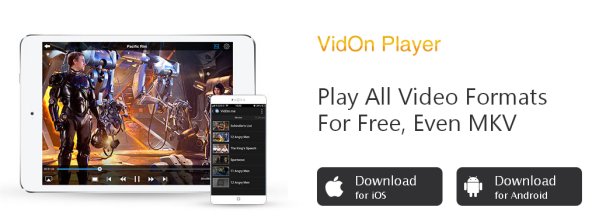
Other than playing games, watching videos is on the the things I really enjoy doing on my iOS devices. There are quite a number of options available to users but today I am reviewing a new app, VidOn Player. VidOn Player is a free app that allows you to watch videos, in a variety of  different formats on your mobile device, either locally or via a network connection. The app is available for iOS (iPhone and iPad) and for Android.

Some key basic information:

  • For the Android version, use this link
  • For the iPhone version, use this link
  • For the iPad version, use this link

You can also use the QRCode listed below.

Video formats supported: MP4, WMV, AVI, MKV, RMVB, 3GP, MPG, RM, ASF, F4V, FLV, h264
Photo format supported: PNG, JPG, JPEG

Sync files via USB cable, Wi-Fi, FTP Server

Overall this app is very straightforward and easy to use. Videos look good and the app gives users options on how to get videos. The main menu in the app has 5 main options, which I will outline below:

1. Local Resources- in this section, you can watch any video that you currently have on your device. The app will provide a nice listing of all videos present, with some basic information on each.

When watching a video, you can adjust the screen size and video quality. All menu buttons are setup in a way not to take up space on the screen so you can enjoy the video. There three on screen gestures you can use to volume,  brightness, and fast forward/review. I tested the app on my iTouch but it should look great on the larger screen.

2. VidOn Server- You can download a second program and install it on your PC to create the VidOn Server. This server will stream the videos directly to your device so you do not have to download them. The app will also allow you to manage the videos.

3. Network Server- here you can connect to a network server via FTP, Windows Share.

4. Download- here you can download videos directly from a shared home network server.

5. General settings

Setting up the app and PC server should not too difficult for most users. If you need some assistance, I found the VidOn website dis provide a lot of support and information.

This powerful app allows the user to easily find and sort different types of videos. I should also mention, that users can also view and share images with the app.

VidOn Player makes it easy for users to watch high quality videos anywhere. If you are like me, you are downloading more and more videos but you not always on your computer. If you looking for a great, free option to watch them, give VidOn Player a go.

Player-for-iPhone

Unknown app
Unknown app
Developer: Unknown
Price: Free
Categories
Entertainment

Wordbase ~ Strategic Word Game [iOS Game]

App Name: Wordbase ~ Strategic Word Game [iOS Game]

Cost: 2.99

Developer: Aller Innovation A/S

App Market: Download Page

Description:

Wordbase  is a new fun  game of words and letters for iPhone. This two-player word game that will push your vocabulary to its limit! Form words and have fun in a strategic, tactical word game.  Your job is to create words, as many as you can to dominate the grid (board).  You will need to be smart because your friend is trying to do the same thing.

Features:

  • Create words by connecting letters in any direction.
  • Tactical power ups that will give you the edge.
  • Connect with Facebook and play with your friends.
  • Word lists by professional linguists who have over 30 years of experience.
Categories
Entertainment Entertainment

SpiritClips – An Online Family Friendly Network

My family loves Netflix. The kids really enjoy watching the old TV shows and movies, I used to watch as a kid. Overall Netflix is pretty good. I must admit though there is a lot of movies there I do not think my kids need to see.

I recently was given a gift subscription to SpiritClips. SpiritClips is from Hallmark, you can find it at http://www.hallmarkspiritclips.com. SpiritClips is accessible online or via
stream-to-tv devices like the Roku, Android devices, and through a newly launched iOS app.

Here is some more details from their fact sheet:

SpiritClips from Hallmark is a subscription streaming video service that offers heartwarming films  for the whole family including handpicked Hollywood feature films, Hallmark Hall of Fame® movies, original shorts, and compelling series and documentaries. Recently purchased by Hallmark Cards, Inc, the SpiritClips service gives people of all ages a place to be entertained, motivated and inspired. Originally founded in 2007 by Academy-award winning producer, Rob Fried, SpiritClips  boasts an uplifting library of content that includes contributions from partners such as Miramax, Sony Pictures, Bud Greenspan Olympics, and many others. Visit www.hallmarkspirticlips.com for more details.

Features:

  • Curated entertainment provides viewers of all ages with an uplifting and heartwarming experience.
  • Exclusive online provider of the highly acclaimed Hallmark Hall of Fame® movies.
  • Handpicked Hollywood classics including A League of Their Own, Big Fish, Life is
  • Beautiful, Good Will Hunting and more!
  • Simple user-friendly experience makes it easy to find perfect films for your family.
  • Kid-friendly classics like Milo and Otis, Open Season etc.
  • Dove Foundation certified and approved original shorts, series and documentaries.

SpiritClips will never feature a film, which contains:

  • R rating
  • Excessive violence, language, or nudity
  • Irreverence,
  • Political agendas
  • Divisive social issues.

Users can enjoy SpiritClips via smartphone, mobile tablets, online and stream-to-tv on devices including Roku, Boxee, GoogleTV, SamsungTV, and NeoTV.Sign up for a 1 Week Free Trial to subscribe for $4.99 per month or $35.99 annually.

Well after browsing and watching a few movies, I was impressed with the service. The only complaint I had is that I found it hard to find anything.  They have a lot of movies but I would like to see them broken up more, maybe more Netflix like? They do have trial and monthly plans so you can try out before you make a major commitment. If you are looking for an alternative movie network, then SpiritClips might be what you are looking for.

Android version- Google Play

Hallmark+
Hallmark+
Developer: Hallmark Labs, LLC
Price: Free+
  • Hallmark+ Screenshot
  • Hallmark+ Screenshot
  • Hallmark+ Screenshot
  • Hallmark+ Screenshot
  • Hallmark+ Screenshot
  • Hallmark+ Screenshot
  • Hallmark+ Screenshot
  • Hallmark+ Screenshot
  • Hallmark+ Screenshot
  • Hallmark+ Screenshot
  • Hallmark+ Screenshot
  • Hallmark+ Screenshot
Categories
Entertainment

Beautiful Seasons Weather [Android]

App Name: Beautiful Seasons Weather [Android]

Cost: Free

Developer: Mzemo

App Market: Download Page

Description:

Live weather wallpaper includes Spring, Summer, Winter, and Autumn themes and more -you’ll get 3 day Weather

4 live wallpaper with different effects for the price of one
Live weather wallpaper optimized for TABLET PC and Android phones.
Shake your phone to get 3 day weather forecast

Beautiful weather effects ranging from rain, wet snow, sun, clouds, air temperature can be displayed in Celsius or Fahrenheit. Effects like smoke, meteor, stars, birds, dirigible, boat, and time of the day are reflected automatically through out the day. Atmospheric pressure, humidity and thermometer added.

Captivating landscape with gracious tall mountains and deep blue ocean, breathtaking freely floating clouds on your screen. A dirigible is freely drifting through the sky. Enjoy live updates of the weather forecast and watch the scenery reflect the changes from a bright sunny day to fragile snowflakes and enormous moon in the background.

Categories
Entertainment

AirStream- Stream PC over Air [Android]

App Name: AirStream- Stream PC over Air [Android]

Cost: Free

Developer: Nityaa Labs

App Market: Download Page

Description:

AirStream lets you stream media content and other files from PC to your Smartphones & Tablets over the wifi network. AirStream also lets you copy important files from PC / laptop or mac to your mobile device. Now, you can do all these without the hassle of wires.

Features:

• Stream Movies, Music and Photos from PC your Mobile Phones and Tablets
• Copy files from PC to your Mobile Phones and Tablets without the hassle of wires
• Automatically Identifies computers in your network – support for Windows, Mac & Linux
• Restrict access to files from your PC
• AirStream comes with file filters for Videos, Music and Photos to make it very easy to access your content
• Its fantastic file browser makes it very easy to browse huge data within few gestures of your finger tips


Categories
Entertainment

TV Series 2 [Android]

App Name: TV Series 2 [Android]

Cost: Free

Developer: FEMA Team

App Market: Download Page

Description:

TV Series 2  helps you to manage the TV shows you are following, by keeping track of seen and unseen episodes. It also provides plots, images, actors information, suggestions, calendars and lot more.

It comes also with four customizable widgets!