Categories
Weather Weather

Boating Weather [Android, iOS App]

App Name: Boating Weather [Android, iOS App]

Cost: $1.99 USD

Developer: Blue Whale App Development

App Market: Download Page

Description:

Need to know what the marine forecast is before you go boating or during your boating trip? The Boating Weather App for iPhone and iPod Touch is the answer.

This intuitive App will show you the wind speed, surf, and wave height for your local area. Marine weather data provided by the National Weather Service.

Features:
– One touch National Weather Service forecast for today, tonight and this week.
– Shows wind speed, seas wave height and surf forecast.
– Add a location to Favorites for easy reference when switching between zones
– Shows small craft advisories.
– Set your default location to show your local boat weather forecast.

Categories
Weather

Amber Weather [Android App]

App Name: Amber Weather [Android App]

Cost: Free

Developer: Amber Mobile Limited

App Market: Download Page

Description:

Amber Weather is one of the most useful and simplistic free weather app.

This app is tailored to fulfill one’s need of accurate and detailed weather information. Scrolling down the main interface, you will see all the weather information in a reasonable order.

Amber Weather provide current temperature, visibility, pressure, UV index, dew point, AQI (air quality index), 24 hour forecasts and 7 day weather forecasts. Climate overview is another highlight. Based on data for the last 30 years, Amber Weather gives a climate overview of a certain location, so that you can get a brief picture of the weather conditions in this place.

Categories
Weather

Weather 360: forecast & widget [Android App]

App Name: Weather 360: forecast & widget [Android App]

Cost: Free

Developer: 6thsolution

App Market: Download Page

Description:

Weather 360 is a weather forecast application with the following distinguished features:

1. Material design
2. Smart weather animations
3. Accurate and reliable weather forecasts (powered by 3 different weather providers)
4. Detailed weather forecast (Current, hour-by-hour, and 10-day)
5. More than 80 home screen widgets to show the weather information, battery status, and time
6. Weather Radar
7. Auto Locate and follow your location

https://www.youtube.com/watch?v=1Jm-ViBatnQ

Categories
Weather Weather

YoWindow Free Weather [Android, iOS App]

Looking for a different kind of weather app for your mobile device. Then check out YoWindow for Android and iOS.

The app provides a beautifully setup and clean screen. With the swipe of a finger you can see how the weather at your location is going to change. You can easily set your location(s) and away you go. The app also allows you to use custom backgrounds or landscapes.

From their promo:

In animated picture reflects the actual weather, time and even season for the given location. It’s simple – works like a window. But YoWindow can also show you the future. Just swipe the screen to scroll the time forward.

Got some questions or want to see more screenshots, head over to their website.

It is an unique weather app that deserves a look at. To see it in action, check out their video below.

Developer: YoWindow

Cost: Free

Google Play:  download

iTunes: download

Categories
Reviews Weather

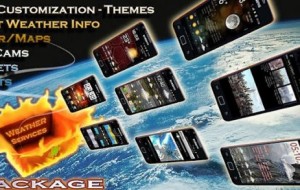
Weather Services PRO for Android


App Name
: Weather Services PRO

Cost: Free / $3.79 Pro

Developer: Weather Services Group

Market: Google Play

Review:

Probably one of the first apps I downloaded on my DroidX, was a weather app. You always need to know what the weather is going to be. Well over the years I have tried many apps, websites, and widgets to provide weather information. I think I have seen almost all of them.

I recently came across a new weather app called Weather Services and it looks pretty cool. There is a free version and a pro version. The free version is good but you do get a number of reminders about upgrading to the full.

Overall there is a lot to the app. Before I go over what weather information, lets look at the app itself. when you first turn it on, you are given a nice option screen where you can set the units you want and of course the location.


The app allows you to customize the look with a large number of different themes. In addition to the themes you can customize the fonts, font colors, outline, and the text. The app has a number of home screen widgets you can use and even with them you can change the background and fonts.

The huge number of customizations of this app is a big plus for me. I like to be able to make apps look and feel the way I want. Now that we have looked a bit at the cosmetics, how about the weather part of the app.

As with any good weather app, you can select a location or you my location. I took the app with me on a trip a few hours away and it found my locations pretty quickly. In addition to the widgets, the app has a small icon on the notification bar which shows the temperature.

The app also lets you pick which weather provider you would like to use to draw your weather information: YR.no, WeatherBug, and Google Weather. The user interface contains a lot of information but the layout is easy to follow and does not seem cluttered. The main page gives you the time/date/location and some general info such as dew point, humidity, sunrise, sunset. There is also a 5 day forecast.


If you swipe the bottom part of the screen you will pull up some features that are only available in the pro version. The pro version gives you a series of 5 day charts graphically showing temperature, precipitation, and humidity.

If you hit the menu button, a small menu will open up. Here you can access a series of maps- precipitation, cloud, temp, wind. Again this are only available in the pro version but they look really cool. In this menu you can access local webcams, the charts, set location, and change settings.

The app worked very well for me and provides a nice bit of weather information. If you have more questions about the app,make sure to check out the developer’s website they have a lot of information.

I have mentioned the pro version a bit, so what is different. In the pro version, you can set up to 10 locations (free version only has up to 3). There are 31 themes available for pro version (7 for free version), and of course the charts and webcams are unlocked.

The developer has indicated to me that next update will give the app compatiblity with tablets, and will additional languages.

Weather Services is a nice weather app that provides a ton of customizations and some nice features such as charts and maps. So if you are looking for a weather app, this should be on your list to try.

Categories
Weather

Don’t Bug Me About the Weather – WeatherBug


 App Name: WeatherBug

Description: WeatherBug for Android provides latest weather conditions, forecast, alerts, radar, interactive maps, video forecasts for thousands of locations worldwide. You can monitor mulitple locations. The app can also use your Android GPS to find your current location and provide weather information. Numerous widget options are also available. Elite verision is ad-free. A new Honeycomb version is available.

Cost: Free / Elite $1.99

Developer: Earth Networks

Reviews:

WeatherBug – AndroidTapp.com

WeatherBug for Honeycomb Review (video) – AndroidCommunity.com

Review: WeatherBug for Android – Gear Diary.com (a bit older but good summary)