Categories
Tools

Digital Alarm Clock [Android App]

App Name: Digital Alarm Clock [Android App]

Cost: Free

Developer: Jason Parsons

App Market: Download Page

Description:

Digital Alarm Clock is an ultra reliable, great to look at and easy to use alarm clock that can be customized to your needs.

Digital Alarm Clock replaces any bedside clock and offers a completely new way to use your device.

The app comes in various languages and has a ton of options such as:

Built in tones or wake to your own music

  • Fade in alarm
  • Nap Timer
  • Shake to snooze, number of snoozes, custom snooze time
  • Day & Night mode with individual brightness and volume settings
  • Anti Burn moves the clock to look after your display
  • Choose from over 16 million colors & several display fonts


Categories
Tools

Advanced Mobile Care [Android App]

App Name: Advanced Mobile Care [Android App]

Cost: Free

Developer: IObit

App Market: Download Page

Description:

Advanced Mobile Care  is designed to secure Mobiles against viruses, malware, spyware, malicious URLs, and phone loss. It also offers better performance with features like task killer, battery saver, game speeder, app manager, cloud backup, privacy locker and adviser.

Features:

  • One-Tap Scan
  • Task Killer
  • App Manager
  • Battery Saver
  • Game Speeder
  • Call/SMS Blocker
  • Privacy Advisor
  • Privacy Locker
  • Anti-theft
  • Cloud Backup
Categories
Tools

Temperature Guard [Android App]

App Name: Temperature Guard [Android App]

Cost: Free

Developer: AppDeveloper

App Market: Download Page

Description:

This app monitors your Androids device(s) temperature and warns you if it gets too hot.

Categories
Press Releases Tools

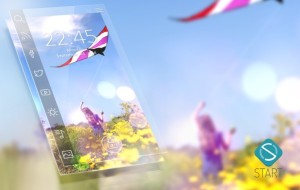
Meet the new Start – Android Lockscreen App

Start by Celltick is a very popular lockscreen app for your Android device.  Start has been out for quite a while (Oct 2013) but they have just launched a massive update to the app.

The new update has the following features:

  • Intuitive, simple and best in class user interface
  • Expanded starters providing for an improved experience
  • Unlimited number of starters that can be added by users with on-screen customization
  • Improved performance
  • Smooth integration with the phone’s native security
  • Improved battery consumption and memory optimization
  • Easy launch of multiple apps from the start screen
  • Hundreds of themes and content plug-ins
  • Tons of customization options

I got a chance to test out the new Start app and I like it. If you ever wanted a lockscreen app for your Android device, you should try Start.

Start gives you a nice selection of  items you can add to the home screen: weather, news feeds, Twitter, links to apps and more. There are even different themes you can apply. The app is very easy to use and setup.  I did not find any major drain on my battery either. I am still trying to get used to unlocking my phone, since there is only one place you can do that.

One thing I would love to see in the app is the ability to add links to different apps on the lockscreen. For example, you can add a single RSS feed to the widget/plugin area. I would rather add a link to my Feedly account so I can see all of my feeds. Also there are only 4 shortcut areas where you can add links ( a max of 4) to different apps. I would like to see users have the ability to add more links or customize the shortcuts.

Update: The developer tells me that they have partnered with numerous companies to develop plugins for Start and hopefully in the next few months they will open up it up to more.

Overall it is a very well done app and adds some nice functionality to my Galaxy Note 2. Look forward to seeing how it grows from here.

Download from Google Play

Categories
Tools

NFC Tools [Android App]

App Name: NFC Tools [Android App]

Cost: Free

Developer: wakdev

App Market: Download Page

Description:

NFC Tools for Android will allow you to read and write NFC tags.  Approach a tag and the application will display the available information, such as:

– The manufacturer of the tag
– The type of tag
– The standard
– The available technology
– Serial number
– The size of the tag and data
– If writing is possible and if the tag can be configure read-only
– All records present on the tag format NDEF


Categories
Reviews Tools

Wondershare-MobileGo for Android Review

Today’s review will cover quite a bit of material, so to get it all in, I will go over the highlights. MobileGo for Android is a Windows or MAC desktop software that will allow you to do a number of important task for your Android device. With this software you can transfer files, work with your iTunes playlists, convert videos, work with your contacts, deal with your apps, work with your SMS messages, and of course backup your device.

In addition to the desktop software, there is a corresponding Android app (Wondershare MobileGo) . With this app you can connect your device with your computer, can clean our your RAM to get a speed boost on your device.  The app is free but the desktop software will run you $39.95 USD. So you want to give it a try, what do you need to do?

First step is to head over to Wondershare and download the software. I would also recommend that you read over the Tech section to make sure your computer and Android device will work with it. The developers have done a great job providing information so you know exactly what it does, what it supports, and more. You can also read over their Guide section, that gives you an in depth how to guide with screenshots.

Installation and setup of the desktop software should not be a problem. Once the installation is done, you will need to connect your phone (via USB) to the computer. After you do that, it is up to you on what you want to do. Your Android device (phone or tablet) is very important and I definitely spend time on a weekly basis going over my apps, updates, files, images, videos etc to try and keep a handle on it all. MobileGo for Android does provide a very clean, clear, and user friendly interface making these tasks a breeze to accomplish. The faster I get these done, the more time I have for gaming and writing reviews of course!

One feature I bet a lot of folks will appreciate is the media conversion, specifically the iTunes music playlist. Now I do not have iTunes music (I really enjoy using Google Music) but from what I can see it looks pretty easy to use.

Another neat feature is the Contact manager. I have tons of contacts in my Gmail account and every once in a while I try to go through and organize them. Well with this software, I can deal with these contacts plus any I have in vCard files, Windows Address Book, and Outlook.

The other feature which is a big help is the SD Card file manager. There are so many files on my SD card, it can be a bit irriating. I am always trying to clean up the clutter, well it is a whole lot easier to “see” on my computer vs the small device screen.

Due to time and the shear amount of material, I could not cover everything this program does. I am very impressed with the software and the support that Wondershare has setup for it. I would recommend this for any Android user that wants to get a better handle on their device and keep it running smoothly. As I mentioned there is a free trial available so you can try before you buy.

Looking to take better control of your Android device, then Wondershare’s MobileGo for Android could be what you need.

Categories
Reviews Tools Utilities

WebDrive [Android, iOS App Review]

With mobile smartphones today it is all about convenience. There are so many neat and helpful tools out there to provide small business owners and other professionals the ability to get the job done when away from the office or the main computer. In addition to this blog, I provide numerous web services, such as hosting and web design and the app I am reviewing today, WebDrive from South River Technologies is one that will be a big help.

WebDrive is an Android app that gives users the ability to access, upload, download, and edit files on a variety of servers and protocols:

  • FTP
  • Secure FTP
  • SFTP
  • WebDAV
  • Secure WebDAV
  • Amazon S3
  • Google Drive

If you are familiar with using any of these then you will not need  a lot explanation.  I use FTP the most, so this is the one I tried out. To create a new connection, simply pick the server you want and then put in the appropriate information. You can add a layer of security by not saving the password if you want. For FTP, there is a set of advanced options you can configure if needed.

It took me only a couple of minutes to setup my FTP and boom I was in. The app allows you to create folders and move, rename, delete and get info on individual files. Right now the app does not allow for editing of files but I was told this was coming. Another thing, is that I could not find a way to upload files. I assume you can do it, but right now I am not sure how.

The app interface is nicely done and it is very easy to move around within the app. I look forward to see how this app develops over time. If you need an relatively inexpensive app to access your server, WebDrive looks to be a nice option. There is no limit on sites you can add.

Quick Facts:

Developer:  South River Technologies

Cost: $4.95 USD

Google Play link

Info on iOS version:

Unknown app
Unknown app
Developer: Unknown
Price: Free