Categories
Tools

Wifi Analyzer [Android App]

App Name: Wifi Analyzer [Android App]

Cost: Free

Developer: Webprovider

App Market: Download Page

Description:

Wifi Analyzer will provide useful information about wireless signals around you. App supports 2.4Ghz and 5Ghz.

– Helps to find optimal placement for wifi receivers
– Wifi Analyzer provides you information individualy on wifi channels
– Shows signal strength in history graph
– Wifi Analyzer recommends the best channel for new AP
– Information of the channel width (20/40/80MHz – only Android 6+)
– Wifi Heat Map – let you create heat map of wifi signal quality around you

(If you are looking for more info, check out this article How to Fix Slow Wi-Fi on Android)

Categories
Tools

myDeviceLock Biometric AppLock [Android App]

App Name: myDeviceLock Biometric AppLock

Cost: Free

Developer: Neurologix Security Group Inc.

App Market: Download Page

Description:

myDeviceLock – AppLock is the all-in-one mobile security and privacy protection app locker for your Smartphone or tablet; Protect any app on your device. Download Free the latest version and discover an applock, with more locking methods than any other mobile security solution on the Google Play market, including biometric app lock.* Enjoy myDeviceLock app lock whether you’re a student, parent or business person, mobile app security is necessary whatever you do, or wherever you go.You may need to hide apps – hide photos – hide videos, or just use as a gallery lock., with our powerful screen lock – It’s included!

Categories
Tools

Yellow Booster [Android App]

App Name: Yellow Booster [Android App]

Cost: Free

Developer: Yellow Apps Team

App Market: Download Page

Description:

Phone freezing? Or simply being very slow in everything? Ever wondered what you can do about it? Here comes the answer! – Yellow Booster aims to offer you the most amazing mobile experience by boosting your phone speed and helping you clean up memory, cache and junk files in storage. There will be no more lags in responding to your commands and your memory space will always be available in your needs.

Features:

-Accelerating and optimizing overall performance
-Cleaning junk files
-Accelerating apps and Cooling CPU
-Cleaning optionally and automatically
-Whitelisting
-Autostart Manager
-Listing device information

Categories
Tools

IObit Applock [Android App]

App Name: IObit Applock [Android App]

Cost: Free

Developer: IObit

App Market: Download Page

Description:

IObit Applock is a free privacy protector which can lock any individual apps, phone settings and switches simply via a secure pattern or PIN lock.

IObit Applock safeguards your privacy and data security by

-Lock settings and any private app
-Hide the sensitive content of notification
-Catch the snooper’s photo and notify by email
-Customized Delay Lock to avoid frequently unlocking
-Fake Lock disguises the lock screen with fun covers
-Efficiently safeguard your most used apps

Key Areas:
App Lock
Notification Lock
Fake Lock
Delay Lock Option
Intruder Selfie
Change Icon

Categories
Tools

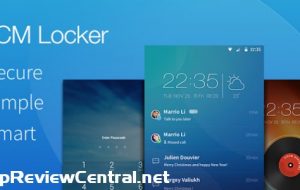
CM Locker – AppLock/Lockscreen

App Name: CM Locker – AppLock/Lockscreen

Cost: Free

Developer: Cheetah Mobile

App Market: Download Page

Description:

What can CM Locker do?

Lockscreen
CM Locker secures your phone from intruders with PIN and pattern lock security, fingerprint lock is also available on supported devices.
It also has a variety of styles and themes, which you can customize to your liking, giving you a pleasant welcoming when you switch on your screen!

Applock
AppLock can lock and protect apps such as Facebook, WhatsApp, Line and pretty much any apps from intruders.
Use AppLock to prevent others from checking your device’s photos, videos, messages and contacts without you knowing!

Intruder Selfie
Snaps photos of intruders who enters the wrong password.
The photo of the intruder will be sent to your e-mail instantly.

Anti-Theft Protection
Link CM Locker with your Facebook account to remotely lock and locate your device or set off its siren.

Personalization
CM Locker is packed full of awesome HD wallpapers, themes and password modes, where you can mix and match to create your unique Lockscreen.
HD wallpapers are updated automatically.
The Daily Wallpaper Changer function helps you change your Lockscreen wallpaper to something new every day.

Speed Booster & Battery Saver
Boost memory, clean unused and battery draining apps with just 1-tap from CM Locker’s toolbox.
1-Tap Boost can speed up your phone by approximately 60% & extend battery life by up to 30%.

Weather forecasts
Stay prepared with our accurate hourly, 5-day, and 10-day weather forecast.
Set your location, get more weather info: Wind, pressure, humidity and UV index.

https://www.youtube.com/watch?v=PRpv7JvA6NI&feature=youtu.be

Categories
Articles Tools

Retrieve Space. Optimize phone with Duplicate Files Fixer

Have you ever wondered what makes your system bleep that irritating ‘low storage’ alert more often than not? Your general reaction would perhaps be ‘Those darned games and apps. They use too much space’. But think again. Is it really the games and apps that waste your phone’s storage capacity?

Trust us when we tell you the answer is ‘NO’. Sure they take up space but that’s hardly the cause for blaming them for your storage woes! Most of the apps on your phone make life easy and c’mon who doesn’t like good game!

So who are the real culprits then? File copies. And loads of them! Every time you receive or share a photo via Whatsapp or Facebook you are creating copies. Every time you are downloading music and audio clips, you are creating duplicates. When you upload a photo on Instagram from your gallery you are gain creating redundant copies! And there are hundred other ways in which you keep misusing your storage. And getting rid of all such duplicate files is not as easy as you would think.

Duplicate Files Fixer or DFF is a duplicate file finder that lets you locate and do away with redundant file copies. It’s a super-efficient app that retrieves storage space on your Android by identifying similar files, which you can duly delete. So here’s how this duplicate media remover app works.

dff

Overview

The first thing that will strike you about Duplicate Files Fixer is its UI. The moment you launch the app, the screen will give you 5 distinct scanning options: Scan Audio, Scan Videos, Scan Pictures, Scan Documents and Full Scan. So you can either run a partial scan or a full scan for all file types. Once you have chosen your desired action, DFF will run a quick scan and identify the duplicate files for you in a matter of seconds. The screen will display all such files. You can unmark the ones that you don’t want to delete.

The app will ask you grant permission to access the source location of the files you want removed. However, it needs to be mentioned that the app doesn’t locate the original file(s). It only functions as a duplicate file finder. So in case you want to remove a certain file completely, DFF won’t be of help.

Summary

DFF has a rather high average rating on Google Play store: 4.5 and it indeed does what it promises to do. Removing garbage from your device and retrieve much needed storage space for you. The fact that it gives you the option to run categorized as well as full scans increases its utility quotient. The app has also been updated to read SD Cards on devices powered by Android M. That means now it can identify duplicates on both internal and external memory.

All in all, it’s pretty handy app to have on your phone. After all, more the storage, better the phone performance.

Categories
Tools

Hexlock [Android App]

App Name: Hexlock [Android App]

Cost: Free

Developer: Liquidum

App Market: Download Page

Description:

Hexlock is a 100% free app locker that protects privacy and secures apps with a password to prevent unauthorized access. Users can create up to six unique profiles to cover every situation (work, parental control, etc.) and activate them automatically when connected to a known Wi-Fi.

The newest version has a new feature called Media Vault that lets users protect their photos and videos in a locked private file.

Features :
• Parental control: you can give the device to your kids and they will not buy games or delete important folders without you knowledge
• Shared devices: you can create separate profiles for shared tablets at home
• Protection of social networks: you can lend your phone to other people and not be worried that they will check your Facebook or Whatsapp
• The app cannot be uninstalled by others
• Self-activate feature when you change networks
• Secure Pictures and Videos in the Media Vault. Hide private files.