Categories
Business Productivity Reviews

The most advanced AEC CAD iPad App – OrthoGraph Architect 3D

I can say all certainty, that this the most expensive app that I have tested. And I can also say this is one of most complete, very designed, and useful apps I have ever tested. (Yes I did get a promo code.)  If you are looking to design or remodel say your home and/or office OrthoGraph Architect 3D from ProFM is definitely a great investment.

Years ago my wife and I purchase some PC software to help us design the addition to our house. After testing this app, I definitely wish that the iPad had been invented and we add this app by then. The convenience of using a touch screen, the portability, and the support that comes with this app makes it a great tool.

Before I get into any specifics on the app, I need to comment on the level of support. The app itself has a very nice tutorial to show you all of the functions, there are demo designs you can download and work on and the developer has a very helpful You Tube page with video demos to help you out.

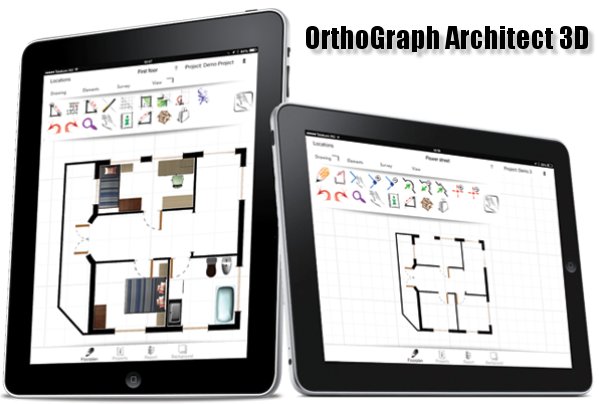
This app is designed in a way so that a professional or even a homeowner (such as myself) could jump right in and create a project. The app has 4 main sections or views:

Floor Plan – this is where you create your project, add doors, windows, rooms, etc.
Property – where you can get an overview of the project and edit some items
Report – you can get an overview on the area and measurements for your project
Background – here you can set your background such as digital blueprints or photos

Now within the floor plan area, there are four sections in the toolbar:

Drawing – all the tools you need to create your floor plan
Elements – add doors, windows, furniture all with their sizes, so you get an accurate layout
Survey – here you can move an entire room or upload your project to Dropbox or email
View – here you edit your floorplan to show labels, measurements, show/hide grids and more

The app is well laid out and very intuitive to use. The menus and toolbar are setup to maximize your drawing area and not take up valuable real estate. I jumped into the app, with very little review and was able to quickly create a room, add windows, doors, furniture, get dimensions, and finally create a 3D rendering of the project. What do you think?


ortho1


And the 3D rendering of my room:

ortho2

All I can say is wow! I showed my wife and kids and they wanted to create their own rooms too! Ok, lets get serious. For those who are professionals looking for a mobile and convenient solution to designing, you should consider the app.

The app has numerous ways to get survey results into your desktop CAD application. You can save them to DXF or IFC format or you can send results e-mail, Dropbox or Box. You can also use two CAD converter tools that can work on OrthoGraph’s file format.

By now you should have the idea that I am quite impressed with this app. This app provides professional designing tools in an mobile environment. You would think that working on the iPad you would have to sacrifice options or quality. From what I can see, you do not have to. If  you are looking for a designing tool, check out the video demos. These videos are very well done and pretty much show you app so you what you are getting.

Unknown app
Unknown app
Developer: Unknown
Price: Free
Categories
Productivity Reviews

Ultimate Next Calendar for iOS [App Review]

When I got a new device, one of the first things I looked for is a good calendar app. There are many, many different calendar apps available in the App Store. Is there one app that rules them all? No there is not. You need to find a calendar app that does what you need it to do.

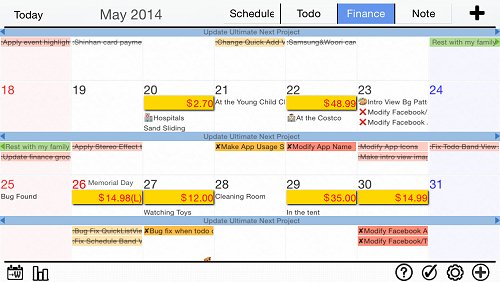
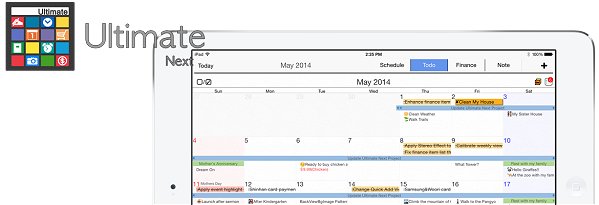
Ultimate Next – All in One Calendar from InhoLee is the universal calendar app I am reviewing today. This is a nice, feature rich app for those that use the standard iOS calendar on the iPhone or iPad. This calendar app allows you to add an event no problem but the difference with this calendar is that you have four different types of events: schedule, todo, finance, and note.

When you first open the app, it will ask you to connect to your iOS calendar and reminders. After it has downloaded your information you are ready to go. I tested this app on my iPad mini. The calendar layout is nicely done- it is setup to give users maximum amount of space on the calendar and not the menu buttons. This is good but I did find the buttons in the bottom right of the calendar a bit small and hard to tap.

The app does not have a very extensive help menu. It does have some small screen shots you can access in the app or on their website. I did not find them very helpful but you probably will not need them. The developer has also put together some very long videos on how things work; again you can find them on their website.

As I mentioned above this calendar app has four different types items: schedule,todo,finance, and note. Each one has its own tab so you can add a specific item and its own calendar. This is the best feature of the app. I like being able to see my ToDo list on a calendar. The finance and note sections are pretty cool but I have not really done much with them.

ultimatenext1

Another nice aspect of the app is that the schedule and todo are synchronized with a iOS Calendar and iOS Reminders, while finance and note are synchronized via iCloud in real time.

The last thing I need to mention is the customization the app provides. In the app you can easily change your layout.You can have a merged view where all calendars are visible or just one of them. You can adjust the font, font size, the initial view span, vertical gestures, add a passcode, and a few others.

This is a nice done calendar app that goes beyond the standard iOS calendar that comes on your iPhone or iPad. So if you need a more extensive calendar, you should give Ultimate Next a look.  You should also know that the developer is running a special right now on the app, $1.99 USD when it usually is $4.99 USD.

Unknown app
Unknown app
Developer: Unknown
Price: Free
Categories
Productivity

Kingsoft-WPS Office for Android 6.0

App Name: Kingsoft-WPS Office for Android 6.0

Cost: Free

Developer: Kingsoft Software

App Market: Download Page

Description:

Kingsoft has released a major upgrade for the most popular free business app on Google Play – the new WPS Office for Android 6.0 (formally named Kingsoft Office) delivers a redesigned user experience and over 100 feature updates and support for 44 different languages, enhanced document editing and sharing capabilities. Full compatibility with Microsoft Office — creating and viewing — without the fees associated with Office 365. The app is popular: WPS Office/Kingsoft Office for Android has surpassed 210 million registered users worldwide and is seeing 300,000 to 500,000 new registered users every day.

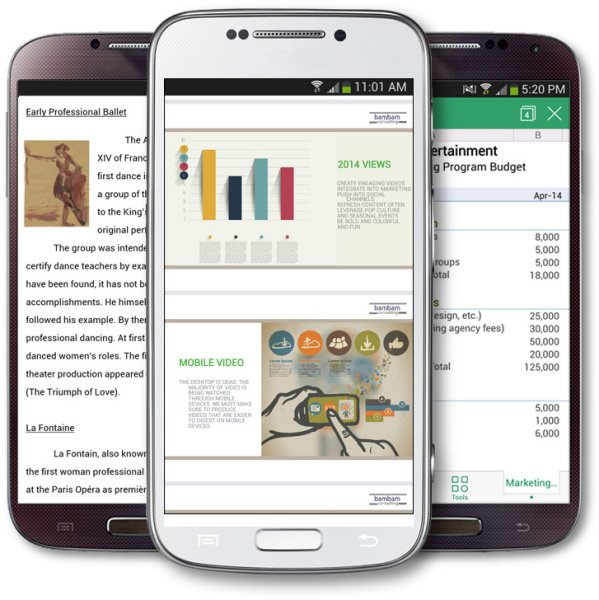
The incredibly small and efficient app (less than 36 MB) brings the ability for Android users to view, create and share presentations, spreadsheets and other office documents on any mobile device running Android 2.1 and above. The app features a new user experience uniquely designed for Android smartphones and tablets and support for almost every major office file format including PDF, TXT, and Microsoft PowerPoint, Word and Excel. WPS Office for Android brings advanced collaboration features including track changes, comments and spell check, auto save and document encryption and the ability to share presentations with others over Wi-Fi or to other DLNA compatible devices.

  • The ability to view, create and share presentations, spreadsheets and other office documents on any mobile device running Android 2.1 and above
  • A new user experience uniquely designed for Android smartphones and tablets
  • Support for almost every major office file format including PDF, TXT, and Microsoft PowerPoint, Word and Excel
  • Incredibly small and efficient app size at less than 36 MB
  • Advanced collaboration features including track changes, comments and spell check
  • Auto save and document encryption
  • Ability to share presentations with others over Wi-Fi or to other DLNA compatible devices
  • Seamless integration with the most popular cloud storage services including Google Drive, Dropbox, Box and OneDrive
  • Support for USB and Bluetooth keyboards – including popular keyboard shortcuts such as cut and paste
  • Multi-language interface that supports dozens of languages including, English, French, German, Italian, Spanish, Portuguese, Russian, Chinese, Hindi and Japanese


wps2

Categories
Productivity

RadResume [iOS App]

App Name: RadResume [iOS App]

Cost: Free

Developer: Kenny Louie

App Market: Download Page

Description:

RadResume is an easy to use and powerful resume builder. With RadResume you can produce beautiful and professional looking resumes and CVs in a matter of a few minutes.

Features:

  • Import your information from LinkedIn to quickly generate your resume.
  • Beautifully formatted resume templates all come in multiple colour themes.
  • Export your resumes & cover letters in PDF format.
  • Share your resumes via Email, AirDrop or send to your Dropbox account.
  • Easily add, edit or re-arrange unlimited resume sections.
  • Easily duplicate resumes and cover letters to adjust for multiple employers.

RadResume is a free app for iPad & iPhone

Categories
Productivity Reviews

Taking Charge of your QR Code [Qrafter Pro for iOS]

QR Codes are everywhere nowadays. If you have a smartphone, it is recommended that you have a scanner app for your device so you can take advantage of this technology. The uses of QR Codes are numerous and I must say that I use my scanner on a regular basis.

I have tried a number of different scanner apps for my Android and iOS devices but I must say that Qrafter Pro and Qrafter, both from Kerem Erkan are very well done apps. I experienced with the Pro version of this app on both an iPad mini and iPod Touch 5 and the app works great.

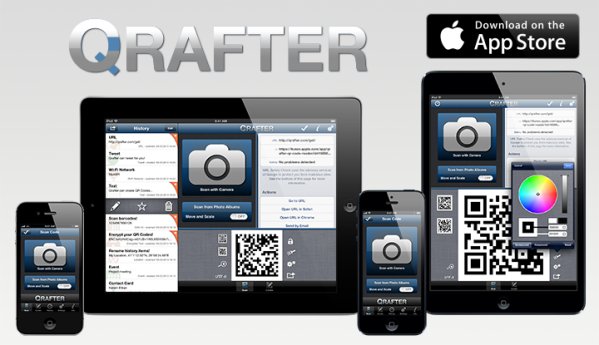
When you first turn it on, the app immediately allows you to click the camera icon to scan a code via your camera. There is also an option to scan a photo of a code that is in your photo album.  Once you activate the scanner, simply line up the code in the box and the app does the rest. The app will read the code and tell you what information it contains.  Ok so you have heard this before, what makes Qrafter Pro different?

For those that need some more background information on codes:

  • the app has a nice written tutorial on what it can and cannot scan
  • the differences between the pro and free versions
  • scanning tips
  • general info on the different types of codes

When you scan a code, the app keeps a record of it within the history section. This is extremely helpful, scan it once and you do not need to worry about it again. Within the history section, the app will tell you  what was in the code, provide links to any URLs, provide comments on safety and give you the ability to share it via email, text, Twitter, Facebook, and Pocket.

You can also create QR codes also. You can put in URLs, location, contact card, event info, phone numbers, and more.

Qrafter Pro is an excellent app and does the job. Overall I am very impressed with this QR code scanner and can recommend you try it. As of December 2013, it has been downloaded over 6 million times so it has be doing something right.

Qrafter, the free version of the app available here.

Qrafter Pro: QR Code Reader
Developer: Kerem Erkan
Price: $124.99
  • Qrafter Pro: QR Code Reader Screenshot
  • Qrafter Pro: QR Code Reader Screenshot
  • Qrafter Pro: QR Code Reader Screenshot
  • Qrafter Pro: QR Code Reader Screenshot
  • Qrafter Pro: QR Code Reader Screenshot
  • Qrafter Pro: QR Code Reader Screenshot
  • Qrafter Pro: QR Code Reader Screenshot
  • Qrafter Pro: QR Code Reader Screenshot
  • Qrafter Pro: QR Code Reader Screenshot
  • Qrafter Pro: QR Code Reader Screenshot
  • Qrafter Pro: QR Code Reader Screenshot
  • Qrafter Pro: QR Code Reader Screenshot
  • Qrafter Pro: QR Code Reader Screenshot
  • Qrafter Pro: QR Code Reader Screenshot
  • Qrafter Pro: QR Code Reader Screenshot
  • Qrafter Pro: QR Code Reader Screenshot
  • Qrafter Pro: QR Code Reader Screenshot
  • Qrafter Pro: QR Code Reader Screenshot
  • Qrafter Pro: QR Code Reader Screenshot
Categories
Productivity

miCal – the missing calendar [iOS App]

App Name: miCal – the missing calendar [iOS App]

Cost: $1.99 USD

Developer: entwicklungsschmiede UG & Co KG

App Market: Download Page

Description:

Looking for an alternative calendar for you iPhone or iPad?  miCal makes scheduling easier, clearer—and better looking—than ever before.  miCal provides complete, well-organized day, week and month views and displays the calendar week in all the important views.

miCal offers a unique range of features. Copy, move or send your events. Export your events in the date range of your choice as CSV (for Excel, etc.) or ICS (the calendar format). Set colors for your calendars and individual appointments or automatically add colors based on keywords in event titles.

Features:

  • Intuitive Controls
  • miCal Understands You
  • Tasks/Reminders
  • Birthday Manager
  • Weather forecasts
  • Up to Date and Secure
Categories
Productivity

ORANGE time management [iOS, Android]

App Name: ORANGE time management [iOS, Android]

Cost: Free

Developer: rapidrabbit

App Market: Download Page

Description:

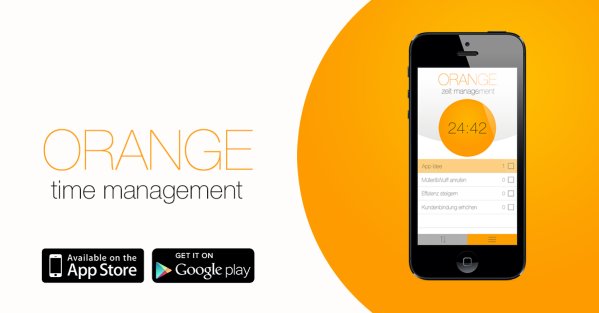
ORANGE time management  is  a productivity app, available for both Android and iOS. This app will help you to work more efficiently on your tasks, so you get more free time to fun!

Tasks and time management is something we all need to keep track of. With this app, you write down your tasks, set their order and go.

General Overview:

  • ability to archive
  • option of changing units and break duration
  •  statistics
  • how many units you’ve completed during a day
  • how long one unit took
  • how long it took for you to complete a task