Categories
Reviews Video

Making movies easily with Zu3D [iOS App]

If you or your kids ever wanted to make a fun, animated movie, now you can on your iPad with Zu3D.

zu3D is a packed app with tons of options that will allow you to make movies within minutes. If you would like to learn more about the Zu3D in general, head over to their website and read all about it. In this review, I am just going to focus on the iPad app.

I am very impressed with the app and what all you can do with it. The app has been out for sometime and overall is very well designed and organized. The app is very simple to use and really does not need a lot of direction. There is seven minute tutorial video you can watch if needed but the app’s layout makes it very easy to figure out the options.

The way the app works is that you take  a series of photo with the iPad’s camera and then string them together to create you movie. The app does all the work. You simply move the object a little, take a photo, and then repeat the process. Once you are in the app and start playing with it you will see how it is setup easily.

My kids love making these types of movies and use our digital camera to do it, well this app on the app is much, much easier! The thing that really makes this app stand out is all of the built in options. Holy cow, the developers really thought this through.  Some of options available are;

  • import sounds from your own mp3 or your voice
  • import sounds  from the app such as theme musics, sound effects, and ambient tracks
  • create title, credit, subtitles slides
  • use a variety of fonts, styles, and colors for those slides
  • change the speed of the animation
  • use text balloons
  • save and export your videos to their website, your camera roll, or YouTube.

A few notes about the app. You need to make sure your iPad is steady and securely setup when creating your movie. Also it can eat your battery.

By now you can probably tell that I really enjoy and recommend this app. This really is a lot of fun to play with and the quality of video is very good.  To show you what a video can look like, here is one my son and I put together in about an hour’s time and uploaded to YouTube.  It is important to note that the app is on sale right now so ENJOY!

Zu3D App - App Store
Developer: Unknown
Price: Free
Categories
Reviews Video

Selling Steel – Merchant to the Stars [Video Game Review]

Merchant to the Stars is a different game. In the game you are a merchant and you are dealing with the brave and mighty knights who are going out and slay the dragons and so on. You get to seat inside your cozy little shop, out of the elements, and make money! The brave and mighty knights come to you looking to sell their extra weapons, get upgrades, repairs, and someone to talk to!  This is a fun little game.

The game is broken up into three sections or areas. The first section is the Front Desk. Here is  where you interact with the customers. You can repair,sell, buy, talk and finally dismiss your customers. At the bottom of the screen, you will see a number of different resources, which are color coded. There items are used to hone and repair weapons.  You can purchase items to help replenish these resources.

The second area is the Forge . Here is where items you buy are stored. If you scrap an item, you can reduce it to its resources (shown at the bottom of the screen). Also with the items you want to save, you can upgrade or hone them to increase value to sell. The redeem button will sell your item(s) to the Guild’s caravans for coin.  Also in that area, you can upgrade your resources storage capacity and your work benches.

Finally the last location is the Ledger.  Here is where you can see your sales statistics, your list of items, and see who is waiting in the store for you.

As I said the game has a different angle to it, thus the reason why I enjoy it. Now game play can get a bit repetitive but the kids like it and we have been taking turns playing . Overall it is not a bad game and for only $1 USD it is worth it.

I have put together a video review/overview of the game that you can see below.

‎Merchant to the Stars
Developer: Man Up Time
Price: $0.99
  • ‎Merchant to the Stars Screenshot
  • ‎Merchant to the Stars Screenshot
  • ‎Merchant to the Stars Screenshot
  • ‎Merchant to the Stars Screenshot
  • ‎Merchant to the Stars Screenshot
  • ‎Merchant to the Stars Screenshot
  • ‎Merchant to the Stars Screenshot
  • ‎Merchant to the Stars Screenshot
  • ‎Merchant to the Stars Screenshot
  • ‎Merchant to the Stars Screenshot
Categories
Games Reviews Video

Rails- Puzzle Game for iPad [Video Review]

Rails is a fun puzzle game for the iPad. I wrote up a review about the game at PocketFullofApps. You can see that review here. What I also did was put together a small video on the game. I am hoping to do more videos here at ARC. Enjoy.

Rails
Rails
Price: $2.99
  • Rails Screenshot
  • Rails Screenshot
  • Rails Screenshot
  • Rails Screenshot
  • Rails Screenshot
Categories
Games Reviews Video

Wonderputt – Golfing on your iPad [Video Review]

I love to play golf but I am not very good. Putt Putt Golf seems to be right up my alley. Wonderputt for the iPad is a  super fun golf game. You can read my review of it at PocketFullofApps.com. I also did a video review of the game which you can see below. Enjoy.


Unknown app
Unknown app
Developer: Unknown
Price: Free
Categories
Reviews Video

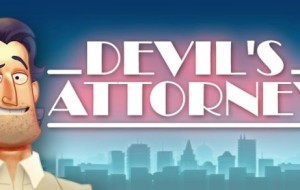
Winning at All Costs- Devil’s Attorney

App Name: Devil’s Attorney

Developer: Senri AB 

Cost: $3.00

Market: Google Play, iTunes

Review:

Below is our video review of the game. Overall it is a fun, casual, turn based game that is easy to pick up and play. It is a great game and has been well received in both the Google and iOS gaming communities.

• 58 challenging cases
• 3 neighborhoods to explore
• 9 prosecutors to outwit
• 3 difficulty settings

I highly recommend the game.