Categories
Business Productivity

Office ToGo [iOS App]

App Name: Office ToGo [iOS App]

Cost: $0.99 USD

Developer: Nexscience LLC

App Market: Download Page

Description:

Microsoft Office Viewer, Document & Spreadsheets Editor, PDF Maker, Voice Recorder, Document Scanner and File Manager, all features in a single app.

Features:

– Able to create and edit Rich Text Documents
– Easily create and edit Spreadsheets
– Create PDF files from scanned documents.
– Simply create Hand-Written notes
– Create Drawings and Sketches
– Record Voice Memos
– Wirelessly transfer files to your PC and Mac
– USB file transfer functionality for PC and Mac
– Offline document editing
– Send you documents as an email attachment
– Word and Excel file viewer build in.
– View your PowerPoint, PDF, iWork, Text, .RTF, and more directly in the app.
– 3rd Party “Open In” support
– Download or create documents from anywhere.
– FAX Documents directly from your iPhone or iPad

PDF:

– Directly draw sketches into your PDF documents.
– Add hand-written notes, comments and highlights to your PDF documents.
– Fill out PDF Forms directly from your device and send them through email.
– Sign and Send Documents
– Convert documents from Microsoft Word, Power Point, Excel, Text and iWork documents into PDF documents.

Scanner:

– Build into the app is a High quality document scanner
– Scanned documents can be converted to PDF
– Scanned images can be converted to PNG, JPG or PDF
– Crop documents and images cropping
– Size adjustment for documents and images.
– Share documents through email attachment, Whats App, Dropbox, Google Drive and Microsoft Sky Drive

Voice Recorder:

– Record voice memos
– Play recorded memos
– Share voice memos
– Transfer voice memos to PC and Mac

Fax:

– Fax documents directly from your iPhone or iPad
Note: For this feature, the app is integrated with Interfax.net who charge a few cents per page for sending fax.

SIGN & SEND DOCUMENTS

– Open PDF documents from your email or download from your PC/Mac
– Sign documents using your finger

Categories
Business Business

Grapholite is Now Available on iPad (and other platforms)

Business graphics and diagram editors are traditionally one of the most demanded productivity apps. That is why there are tens of such solutions on the App Store. But all these apps are designed for one or rarely for two platforms. If users need to work with the documents on different devices or if they need to collaborate with the colleagues who operate on other mobile platforms the choice becomes much harder. Import and export between different diagram formats inevitably result in errors and corruptions. It´s practically impossible to arrange the two-way exchange of such files between the apps with incompatible formats.

With Grapholite users are able to work with the native app on every platform: iOS, Windows 8, Android and Windows Phone. This is a unique ability to operate graphic documents on different devices in a single format without the need to convert them with the fatal loss of data.

grapholite1

Grapholite is able to create all types of business diagrams such as flow charts, floor plans, network layouts, ui mockups, uml, mind maps, org charts, venn charts, bpmn, web-site structures, technical drawings. The app is equally helpful for students and teachers, enthusiasts and corporate users. The latter will especially appreciate complete support for business process modelling notations including BPMN 1.2 and BPMN 2.0 standards.

With Grapholite users are able to design even the most complex diagrams with a couple of taps. The app provides an extensive library of pre-set stencils which are not just shapes, but smart objects with plenty of properties. An intellectual algorithm of connector layout helps making automatic connections between the diagram elements as neatly as possible.

Get it for iOS, Android, Windows Phone.

For more information, check out their website.

Categories
Business

GLTYR [iOS App]

App Name: GLTYR [iOS App]

Cost: Free for one month

Developer: Dr. S Sudhakar

App Market: Download Page

Description:

GLTYR is a mobile multimedia content creation and sharing service for realtors, individual service providers and small businesses with extremely limited marketing budgets to quickly engage and build trust with their customers. GLTYR is simpler, faster and cheaper than using a professional.

GLTYR integrates one or more of audio, video, picture and text with the ability to send updates real time from anywhere at any time to anyone in five minutes or less, and renders them across different interfaces including phone, tablet and the desktop.

Features

  • Succinct summary (500-characters).
  • Present a picture.
  • Upload a 30 second audio clip to provide a descriptor or a testimonial or a voice to your message.
  • Upload a 30 second video clip to speak, show, tell, sing, dance, act, and play.
  • Include clickable links to contact info, email, phone and website.

GLTYR = Give life to your reality.

Categories
Business Press Releases

Nexticy – forms builder [iOS App]

POEM LLC announces Nexticy, an app for iPad that allows you to create all sorts of forms, templates and documents of any complexity and design. Create forms, fill, receive responses from your colleagues or friends.

The format of Nexticy is suitable for making any type of form. In addition to the regular use of tables, table in the Nexticy app features the possibility to use mathematical formulas and calculations. Nexticy app allows not only to create necessary templates and documents from the scratch, send the created forms, collect data, but also to analyze the data statistically.

Builder:
— create paper-like forms
— recreate any paper document or form on your iPad
— use PDF as a background for your form
— save all created forms on the device or upload them to the Dropbox
— perform calculations right in your form

Flow:
— collect responses to your form instantly
— spread form among your responders using email, Dropbox, or share link on Twitter or Facebook
— analyze data in a spreadsheet form
— build charts based on the collected responses
— view any response exactly the way it was filled in

Nexticy Cloud Forms
Nexticy Cloud Forms
Developer: Poem LLC
Price: Free
  • Nexticy Cloud Forms Screenshot
  • Nexticy Cloud Forms Screenshot
  • Nexticy Cloud Forms Screenshot
  • Nexticy Cloud Forms Screenshot
Categories
Business

Numerics [iOS App]

App Name: Numerics [iOS App]

Cost: $19.99 USD

Developer: Cynapse

App Market: Download Page

Description:

Numerics – Dashboards to visualize your numbers.

Visualize all your vital business statistics, live, in one place. Numerics helps you know your numbers, focus on your goals and make better decisions. This app will connect to 20 different services, such as Google analytics.

Create your own unique dashboards from hundreds of pre-designed widgets that show a mix of website analytics, social media engagement, project progress, sales funnels, customer support queues, account balances or even numbers from your spreadsheets in the cloud – everything your business needs to monitor.

Categories
Business Productivity

WPS Office for iOS (updated)

Kingsoft Office Software, the makers of WPS Office has recently added some significant updates to the iOS version of their app. If you do not know,WPS Office allows users to view, create and share office documents, presentations spreadsheets, fully compatible with Microsoft Office, on any iPad, iPhone or iPod Touch device.  The app is also available for Android users.

Updates include:

Spreadsheets:

  • Dozens of new formatting features
  • Added ability to merge cells and freeze panes
  • Full support for formulas
  • Save spreadsheets to XLS and XLSX

Presentation:

  • Includes dozens of new slide layouts
  • Added new slide transitions and animations
  • Insert, crop and resize images in slides
  • Export slides directly to PDF

Writer

  • Better manage comments within a document
  • Export documents directly to PDF

Some general features of this free Office software:

  • Fully compatible with Microsoft Word, PowerPoint and Excel
  • Supports dozens of file formats including doc, docx, ppt, pptx, xls, xlsx, tif, pdf and zip
  • Advanced collaboration tools including track changes, comments and spell check
  • Open documents directly from most of the popular cloud services such as Google Drive, Dropbox, Box, OneDrive and WebDAV
  • Share presentations with other devices using AirPlay, WIFI and DLNA
  • Share documents through AirDrop and WIFI
  • Supports wireless printing and Bluetooth keyboards

Ok enough of the details, how does the app work? Yes and I like it. I have been looking for a free Office suite for my iPad. I wanted one that can connect to the cloud for files, specifically OneDrive, does Microsoft documents, and was free and without ads. Well WPS Office fit the bill. The app layout is very well done, it is clean and very easy to find options. The menu system is laid out well so it does not take up a lot of screen space.  There is some help documents if you need it too.

I really do not need to say alot because the app is free so there is nothing to lose to download it. If you need a free Office suite for iOS and/or Android give WPS Office a serious look.

Categories
Business Productivity Reviews

The most advanced AEC CAD iPad App – OrthoGraph Architect 3D

I can say all certainty, that this the most expensive app that I have tested. And I can also say this is one of most complete, very designed, and useful apps I have ever tested. (Yes I did get a promo code.)  If you are looking to design or remodel say your home and/or office OrthoGraph Architect 3D from ProFM is definitely a great investment.

Years ago my wife and I purchase some PC software to help us design the addition to our house. After testing this app, I definitely wish that the iPad had been invented and we add this app by then. The convenience of using a touch screen, the portability, and the support that comes with this app makes it a great tool.

Before I get into any specifics on the app, I need to comment on the level of support. The app itself has a very nice tutorial to show you all of the functions, there are demo designs you can download and work on and the developer has a very helpful You Tube page with video demos to help you out.

This app is designed in a way so that a professional or even a homeowner (such as myself) could jump right in and create a project. The app has 4 main sections or views:

Floor Plan – this is where you create your project, add doors, windows, rooms, etc.
Property – where you can get an overview of the project and edit some items
Report – you can get an overview on the area and measurements for your project
Background – here you can set your background such as digital blueprints or photos

Now within the floor plan area, there are four sections in the toolbar:

Drawing – all the tools you need to create your floor plan
Elements – add doors, windows, furniture all with their sizes, so you get an accurate layout
Survey – here you can move an entire room or upload your project to Dropbox or email
View – here you edit your floorplan to show labels, measurements, show/hide grids and more

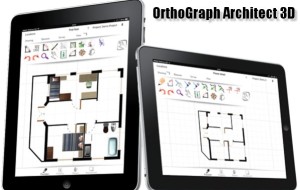
The app is well laid out and very intuitive to use. The menus and toolbar are setup to maximize your drawing area and not take up valuable real estate. I jumped into the app, with very little review and was able to quickly create a room, add windows, doors, furniture, get dimensions, and finally create a 3D rendering of the project. What do you think?


ortho1


And the 3D rendering of my room:

ortho2

All I can say is wow! I showed my wife and kids and they wanted to create their own rooms too! Ok, lets get serious. For those who are professionals looking for a mobile and convenient solution to designing, you should consider the app.

The app has numerous ways to get survey results into your desktop CAD application. You can save them to DXF or IFC format or you can send results e-mail, Dropbox or Box. You can also use two CAD converter tools that can work on OrthoGraph’s file format.

By now you should have the idea that I am quite impressed with this app. This app provides professional designing tools in an mobile environment. You would think that working on the iPad you would have to sacrifice options or quality. From what I can see, you do not have to. If  you are looking for a designing tool, check out the video demos. These videos are very well done and pretty much show you app so you what you are getting.

Unknown app
Unknown app
Developer: Unknown
Price: Free