Categories
Education

SkySafari 4 Pro [Android App]

App Name: SkySafari 4 Pro [Android App]

Cost: $ 20.00 USD

Developer: Michael Goodman

App Market: Download Page

Description:

SkySafari 4 Pro is a new release of the most powerful astronomy app on Earth. Its gigabyte database contains 25 million stars; 750,000 galaxies; and every known planet, moon, asteroid, and comet in the solar system. It’s an astronomical encyclopedia with thousands of pictures from NASA, the Hubble Space Telescope, and the world’s best astrophotographers.

But SkySafari 4 Pro isn’t just facts and figures. It’s a powerful sky simulator that lets you travel through time and space. Watch eclipses, transits, and occultations from anywhere on Earth, or beyond. Fly into orbit around other planets or nearby stars. SkySafari 4 Pro puts the universe at your fingertips!

SkySafari 4 Pro also controls telescopes. It’s been licensed by telescope manufacturers Celestron and Orion to control their latest astronomy hardware, and has an avid user base of tens of thousands of amateur astronomers worldwide. SkySafari 4 Pro’s developer, Simulation Curriculum Corp., also offers both wired and wireless hardware accessories for controlling telescopes from the app.

SkySafari 4 Pro is available for both iOS and Android, and maintains a 5-star rating on the iTunes Store and Google Play. In addition to the “premium priced” Pro version, two less expensive “beginner” versions are also available, including a basic SkySafari 4 version for just $2.99. There’s a version of SkySafari 4 for everyone – from casual stargazers to astronomy-obsessed gearheads!

Categories
Education

HelloTalk [Android App]

App Name: HelloTalk [Android App]

Cost: Free

Developer: Hello Talk

App Market: Download Page

Description:

HelloTalk is an app which has over 1.3 million users worldwide and is similar to WhatsApp.

The app has such features as in-app translation, text-to-voice, voice-to-text, transliteration, and grammar correction. With HelloTalk, one can learn and practice a new language with native speakers.

https://youtu.be/299ZG9rMz1s

Categories
Education

Flitto -fast and best translator [Android]

App Name: Flitto – fast&best translator

Developer:

Cost: Free

Market: Google Play

Description:

Flitto is the app to get fast and accurate translation for almost free in 17 different languages. Flitto translates fast and accurately for you almost for free. All the translations in Flitto are done by real people.

Categories
Education Education

Udacity – Learning on the go [Android, iOS App]

Ever since I worked for AppoLearning.com, I have kept an eye out for educational apps. Well I was recently introduced to a new one: Udacity and if you are into technology, you should take a look at this program.

Udacity is in the news again because they just launched their Android app; their iOS app has been out for some time.

All Udacity courses are now available on Android, in a classroom specifically built and optimized for touch screens Now, you can stream lectures wherever your Android device goes, and test yourself with quick and fun quizzes and you learn on the go.

Flexible Classroom

Android variations in screen size is actually one of the big advantages that Android holds over Apple devices, one that gives Udacity students flexibility to access a larger classroom.

If a user wants a giant phone, they have a large selection to choose from. The Udacity Android classroom takes advantage of the entire  real estate of the device.

Fast Loading Time

Mobile users (and lifelong learners!) demand efficiency. They want  the fastest possible route to what they are looking for. Udacity has worked hard to ensure that the interface is responsive and that classroom content caches intelligently so that it’s readily available when you’re learning on the go.

More To Come: Offline Mode

Offline mode, a super popular feature on iOS, allows you to download videos so that you can learn wherever you go.  They are in the process of bringing it to Android too.

A Udacity course is created to study at your own pace. They have released four new courses with Google experts on Android and Scalability so you canlearn what goes into a great Android app, and how to make your own Android app.

You can download the app for Google Play or iTunes

A quick note: Courses are $150/hr, though there is an option for free courses as well. More information on pay vs free: https://www.udacity.com/faq#section-0-1

udacity

Categories
Education Games

First Grade Free Learning App ( Splash Math) [Android App Review]

App Name:  First Grade Free Learning App

Developer: Splash Math

Market: Google Play, Amazon, iTunes

Price: Free, Paid Version Available

Device used for Review: Google Nexus 5

Review:  As soon as I started up Grade 1 Math Lite I knew this was not going to be your average kids app. Splash Math takes arguably kid’s most hated subject and makes it fun and engaging.  This app is set in an underwater world full of mathematical goodness.

The game play revolves around the player being asked a series of math related questions which range from counting to identifying which expression displays subtraction. Aside from having a nice theme to entice the children to learn math, there are also rewards upon finishing each set of questions. I found the questions asked to be good for developing a Childs mind and getting them familiar which math. Once a player has succefully answered sets of questions, they are awarded a certain sea animal which they can add to their collection. The better you do the more animals you’ll have for your own personal aquarium. This concept is great and will help encourage the player to try and answer the questions correctly.

The sound and visuals of Splash Math are simply great. I felt good hearing the sound of winning and the water effects as you navigate throughout the app.  The visuals made me forget for a while that I was playing a math game. This is due to the very themed menus which make this app a very well put together experience.

splashmath2

An added benefit is the parent’s mode which allows you to edit things such as the amount of questions, answer type, range of numbers and whether or not there will be a timer. There is even a summary of results which allow you to see how many questions the player missed and if you get the full version it even allows you to check out your Childs weak skills. This is very rewarding and goes a long way in helping your child increase their math skills. There are a total of 15 chapters in which your child can test their math skills.

Splash Math is a well put together app which should accurately test your Childs math skills as well as help them fix areas of need. The trail version allows 20 questions a day. I highly recommended the paid version which is only $9.99 USD. I consider this extremely inexpensive considering all that this wonderful app can do. Splash Math is available in the Google Play Store, Amazon, and for iOS.

Categories
Education Reviews

Tootooni! for Toddlers & Kids [Android App Review]

App name: Tootooni! for Toddlers & Kids

Developer: Planarsoft

Market: Google Play Store

Price: $4.00 USD

Review:

As I started to review Tootooni, the kid friendly melody attracted my 2 year old to my Nexus 5.  She smiled and seemed eager to engage the app. When we pressed start, we were greeted with 15 different squares each with its own fun activity. My daughter selected the water pain square and began to play. She was able to color in the train figure by swiping her finger across the screen. It was a simple yet fun activity for her. The other modes are as follows:

  • Tracks:  In this game mode the player must lay down tracks for different vehicles such as trains, airplanes and police cars. The sounds of the vehicles are really engaging and I found my daughter laying down tracks faster as more vehicles approached.
  • Blocks: In this game mode the young player has the ability to build up whatever they please with multiple types of blocks. It’s similar to Tetris without the blocks being color coded etc. This mode is pretty open-ended and allows the child to use his/her imagination.
  • Match Pairs: This mode lets players match various different items including police cars and airplanes.
  • Dots: Dots mode lets the player connect dots to make some nice designs including a helicopter.
  • Music: In this mode the player clicks on various vehicles which produce the sound of each.
  • Puzzle: This game allows the player to solve a puzzle by connecting squares.
  • Scratch: This mode is similar to the water paint mode in which a player uses their finger to swipe across the screen; the difference is that by doing this in scratch a photo is revealed.
  • Finger Paint: The player selects from various colors and paints a drawing using their finger; this game mode is very entertaining.
  • Blackboard:  This mode allows the child to draw on a virtual chalkboard.
  • Maze: The player is able to drive a vehicle around on a maze until the y reach the end.
  • Math: This allows the child to perform various mathematical operations such as counting the amount of figures on screen.

The last 3 mode are My Scratch, My Puzzle, and My Water Paint. These are copies of the original squares however these special modes allow you to use a custom photo which is very rewarding and exciting for the child.

Toontoni is a very fun and educational app for children of all ages. It is well worth the $4.00 USD as you are getting multiple activities which should give your child hours of fun and learning. If my daughter enjoyed the game, then I bet your kids will love it too. Finding good apps for our kids is important and Tootooni! for Toddlers & Kids  fits is one to consider.

Categories
Education Press Releases

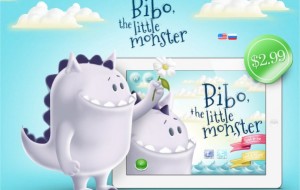
A little purple monster called Bibo (kids book)

Got a little one at home and looking for some cute apps for them.  There is a new app called Bibo, the little monster. The graphics look excellent and is very kid friendly. This cute little monster ends up in the forest and makes some new friends.

Some of the important points to the app:

  • Very easy to use.
  • App contains coloring page, puzzle, and memory games 
  • You can read the book or have it read to you
  • For kids 1-7 years old

Get it on Google Play 

Check out the video highlights below: