Categories
Reviews

File Expert HD with Clouds [Android App Review]

File Expert HD is a utility app that functions as an organizer browser to view all the files and folders stored on your phone. File Expert also serves as a web browser, a versatile all-in-one cloud storage system that links to nine different accounts including Dropbox and Google Drive, a secure location for secret files and an information hub to view your phone’s disk usage. The app’s clean and smooth user interface and organized tile/list menu arrangement enables the user to scroll through documents, apps, videos, photo gallery, and other files that are saved to your phone effortlessly and easily. The tabs in the UI allow lets users to multitask and work on multiple tasks with the windows in close proximity, similar to the tabs in a web browser, without having to backtrack and dig between pages.

In the Settings menu, you can adjust the language, UI color scheme, view mode, file information, hidden folders, thumbnails, auto update detection and tab settings. Although the free version will give you access to a majority of the offered features seen within the app, purchasing the Pro Key will unlock additional, exclusive, client-side paid features including, but not limited to, the SafeBox, Root Explorer, Memory Manager, Recycle Bin, File Shredder, ZIP file compressor, text editor and more storage space for GCloud accounts. If you happen to come across any problems or issues when using the app or have any suggestions on how to improve the overall performance of File Expert, you can send a message that does not exceed more 500 words to the developers via the feedback one-way text messenger.

Before I continue my review, File Expert has been recently updated to the 2.0.6 version. This update includes the incompatibility issue fixed with phones that use the Android 4.4 operating system, support sorting pictures in various categories by attribute, the video double display and picture thumbnails not shown issue fixed, support enable to add files on an external SD card into SafeBox and better performance for downloading and uploading files from and to My Clouds.

File Expert HD is a well-developed app that places every local and cloud-based file you own into one neatly organized browser. Needless to say, this app is designed to eliminate the tiring process of endlessly digging through an array of folders and to group everything into groups represented by colorful and customizable icons. File Expert provides users with all of the basic functions of a normal file browser such as file sharing and organizing files saved on your SD card, external SD card and internal phone storage, while providing additional useful features.

Unlike most file explorer apps, this one has a few more tricks and surprises up its sleeve such as a YouTube video player plugin installed in the app, web PC remote suite service to manage local files on your computer and a marketplace to purchase more features. The marketplace, named the File Expert Feature Shop, gives you the options to buy account subscriptions and features individually or collectively as a bundle package. The prices for individual features range between $0.99 USD to $2.99 USD, bundle packages range between $1.69 USD to $4.99 USD and the monthly account subscriptions range between $6.30 USD to $18.00 USD.

Overall, File Expert HD is an excellent file browser that has much to offer as a utility app and is very user friendly. The app itself is free to download in the Google Play store.

App Name: File Expert HD

Developer: GeekSoft

Market: Google Play

Cost: Free

Categories
Reviews

Geek Resort [Android Game Review]

From the same developers who brought you fun games such as Yeti On Furry, Advanced Mobile Applications introduces a new city-building game made for nerds and brainiacs alike: Geek Resort. Geek Resort is game similar to SimCity or Roller Coaster Typhoon in which you are given the privileged opportunity to create the world’s first Geek theme park. When you first open the game, you will be asked whether or not you are 13 years of age and to login or create a new game profile with your email, Google+, Facebook or an anonymous account. According to the app, it would be ideal to play this game by logging in with one of the aforementioned social network accounts so you will be to recover your profile from any device with secure backup. You will be introduced to the game with a walkthrough tutorial from Chuck, who is in charge of managing the park, and Sarah, Chuck’s fiancée who is in charge of welcoming visitors.

The virtual couple will guide you through each major aspect of the game including choosing between different building themes (manga, technology, video games, etc.) to attract various types of geeks, how to provide power for your buildings through buying resources (electricity, Internet, pyrotechnic effects), how to improve the popularity of your park, and how to gain more admission tickets, geektonites and coins to improve the park. You can also earn in-game achievements, which leads to earning more coin and geektonite bonuses, as you delve further into the game. Geek Resort is also a social friendly game as you are able to invite other people to play and visit their parks as well as other random parks to get an idea of how to arrange your park.

Geek Resort is a fun, creative and constructive game designed for younger users who are beginners in city-building games. Not only is this an interesting game to play, but it is also a unique and somewhat stands out from most games of this type with its nerd-themed motif and surprising 3D printing capabilities.

This is the first game I have seen with this special attribute since the surge of 3D printing technology. Although you can’t sync the app to a 3D printer to print out the figure, you can place your order on which of the 13 figurines modeled after the types of geeky characters featured in the game you want to print, the size and price and, before you know, it will be shipped to your address in a matter of days. The 3D printing prices and sizes range from $21.99 for a 5.6cm (2.2 in.) model to an eye-bulging, jaw-dropping $1,299.99 for 23.7cm (9.33 in.) model. Even though the 3D printing aspect has nothing to do with the actual gameplay, it is still a cool feature.

The only improvement this game needs is better graphics. The graphics for Geek Resort looks like it was designed for phones with 240x400p-resoluton, such as the outdated LG Xenon touch-screen/keyboard phone. Because if have played AMA games with higher quality, I was disappointed in the subpar rendered graphics this game had to offer.

Overall, this game is entertaining and engaging to play, especially with the added social networking element to invite your friends to play and backup your progress in case your phone goes on the fritz. The app is free to download in the Google Play store and is 31MB in size. Furthermore, this game does not require an Internet connection for you to play.

App Name: Geek Resort

Developer: AMA

Market: Google Play

Cost: Free

Categories
Reviews

Sentector [Android App Review]

Here is one of the more unique smartphone apps I have come across in the past week: The Sentector. Here’s how it works: the app is able to monitor a particular sound in any room or setting. All you have to do is calibrate the app to pick up and detect the sound by pressing the “Train” button. The most effective ways to make sure the app have correctly picked up and “memorized” the correct sound include making sure you’re creating the sound in close proximity to your device’s microphone for at least 30 seconds, repeat the sound a few times for good measure and avoid making any unnecessary noise that could interfere with the audio calibration. Hitting the Train button pulls up a recording alert dialog box and every time the proper, recorded sound has been detected, the box will flash yellow.

The training process will confirm your saved sound and will end once the Cancel button changes to Done. If it doesn’t work the first time, just simply Retrain the app to pick up the sound. It may take you a few times before it works depending on what type of sound you’re attempting to record. The Power button programs the app to detect a power outage. The app will recognize a power outage when the running alarm loses electrical power and the device is running on battery only.

Essentially, Sentector works best when you place a tablet or secondary mobile device near the sound source such as a car alarm, fire alarm or house alarm while you are away from either of those locations. When the trained sound is heard by the app, Sentector will send you an alarm email along with a picture that is automatically captured upon the alarm sounding off. You can also control where to send the urgent alarm messages and what attachments should be sent in the email.

Sentector acts as a virtual guard dog trained to alert you of any suspicious activity that occurs in your car, house or another location. This app will undoubtedly come in handy in case your security system provider fails to contact you in a timely manner once your home alarm beeps, in case you immediately ignore your car alarm going off because it sounds similar to every other car alarm or in case you have no way of knowing when or if your fire alarm rings when you are not at home. The only downside of using this app is its need for two devices to function optimally; otherwise, it’s a moot point because you don’t have a secondary device to monitor the alarm/sound.

The idea and concept behind Sentector is innovative and creative because the app’s ability to serve as your alarm’s backup security system. The app is easy to use and is customizable with adjustable settings including sound detection threshold, the frequency and length of the trigger alarm alert and setting multiple alarms at one time. If you run into any trouble, the help tabs and web support forum site link, both found within the app, will be available at your disposal. Sentector is less than 2MB in size and is available to download free of charge in the Google Play store.

App Name: Sentector

Developer: AB Dev Labs, LLC

Market: Google Play

Cost: Free

Categories
Articles

Bwin Mobile Poker [Android Game Review]

Do you think you have the poker skills to bet and bluff your way to victory?  Then put your money where your mouth is and ante up with the Bwin Poker App. The biggest mobile poker network in its industry enables  players to compete in online Texas Hold ‘Em poker games for profit with real money or for fun with “play money” against hundreds of other users from around the world.

 bwin2Before you enter a game, you will need to register for a new Bwin account or login with an existing Bwin account. Registration is free and is only available to essentially users in every country except for the U.S., in terms of registering your current resident country. Once you have registered or logged in, you will be able to customize your payout settings, deposit limit and withdrawals, along with other account settings in the Settings tab. New users should take the chance to learn the basic controls and rules of the game through the app’s interactive “Preview” mode. This tutorial will show you how to play and how to use the controls within the game to bet, check, sit out of a hand, etc.

Upon completing those tasks, you will have a selection of three game modes to play: Real Money, FastForward and Play Money. In the settings menu for each game mode, you can adjust the game type (no-limit, fixed limit, pot-limit), number of players at a table (minimum of 2, maximum of 10) and stakes. Once you have input your settings for the specific game you are looking to play, the app will search for a match that you requested in progress. The differences between the three game modes are that you play cash game for legitimate stakes in Real Money mode, Play Money mode acts as more like an exhibition free play mode and FastForward more is accelerated version of the Real Money mode.

In the FastForward cash game mode, one of the more interesting features on bwin Poker, you are always in action and the time for waiting for other players to make their move is greatly reduced. One of the FastForward features include “Forward Fold”, where you will be automatically be dealt a new hand faster than you can say “I’m out”. Another feature that stands out in that this game adapts to intended and unexpected phone interruptions. The app will automatically sit you out of a hand or two (or three) if something else may happen while you’re playing like if a phone call or text message pops up on your phone during your game. The one-click sit-in feature will put you back in the action once you have finished whatever you might have been doing at the time.

So, whether you’re playing for leisure, just learning how to play, or want to win some big bucks because of your expert Texas Hold ‘Em poker skills, Bwin Poker has something to offer for players of all kinds. Because of the high volume of active players, you will not have to wait a long time to find a game, despite of the type of game you are searching for. Although this app is not available in an app store, you can still download it for free from the developer’s website.

App Name: Bwin Mobile Poker

Developer: Bwin

Market: Android, iOS

Cost: Free

Categories
Reviews

Total Recall 2.0 [Android App Review]

If you have ever had a moment where you have called someone and neglected to remember important bites of information because you forgot to write it down or just slipped your mind, Total Recall (and I’m not talking about the Schwarzeneggar movie) is the app for you. This call recording app records your entire phone conversations into a sound file that can be saves on your phone and can be accessed at any time. Some of the features include auto send, numerous audio conversion formats, password protection and a free-floating, in-call, recording control widget. Activating the “auto send” option enables the app to automatically send your call recordings to various email and FTP account s such as Google Drive, Box, Evernote, Dropbox and Gmail.

Your recordings can be saved into one of four formats: AMR, WAV, MP4 or 3GPP. For the best results, I would recommend saving all of your recordings as an MP4 audio file to ensure your file is compatible with any media player and overall sound quality. Other features include timed record-start delay, speaker phone activation upon recording, deleting the clip after it has uploaded to its designated “autosave” location. If you do run into any issues such as the app failing to record one of your calls, a dialog box will pop-up alerting you that the app is aware of the issue and will give you tips and suggestions on what you can do to prevent this problem from happening again.

According to the developers, Total Recall 2.0 is a rebuild of the original call recording app. Compared to to the first version, 2.0 is a definite improvement on its predecessor. Total Recall 2.0’s user interface is more streamlined and less cluttered to make the app easier to use and to navigate through. The app in general is designed where you really don’t have to do anything special or complicated to get this app to function properly. Three of the most important features that stood out to me were the auto save function, free recording capabilities and the availability of specific versions of the app made for certain phones.

Auto Save: This is an impressive feature because the most other recorders can offer is sending the clip via email. Otherwise, call recorders normally don’t have that feature to send files overall the Internet. The auto save serves as best as another means of a storage location rather than relying on a  temporary folder that deletes your files if you fail to manually save them as a primary means of storage.

Free-Record Option: This is another feature that is not often seen in call recording apps. The basic digital recorder function is another attribute that makes Total Recall stand out from the competition. It definitely comes in handy for utility purposes such as if you are a reporter recording interviews or a student recording a lecture from a class.

Versions Made For Incompatible Devices: Before discovering there were other versions of this app specifically made for other phone brands, I haven’t seen many other utility apps specific phones that may not be able compatible with the universal edition of the app. I commend the staff at Killer Mobile expend the extra effort to reach out to every user who carry all types and brands of smartphones and make the app available to as many people as possible. For now, there are at least two other versions made for the Samsung Galaxy (including, but not limited to, S2, S3 and S4) and for the Sony Ericcson Xperia X10.

Total Recall 2.0 is a very user-friendly app. As I have stated earlier, there are some call recorders that do not work well without the user having to endlessly dig through levels of settings menus and some that don’t automatically save your audio files for a long period of time. You will not have to worry about either of those issues with Total Recall 2.0. The app will give you a free 30-day trial with no ads or spam upon your first use. Once the trial ends, you will be given the option whether or not to purchase the full license for a relatively hefty one-time price of $9.95 USD.

App Name: Call Recorder | Total Recall 2

Developer: Killer Mobile,

Market: Google Play, Windows Phone

Cost: Free ($9.95 after one-month free trial)

Categories
Reviews

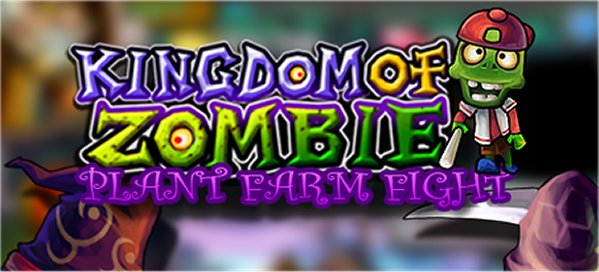
Kingdom of Zombies: Plant Farm Fight! [Android Game Review]

In Kingdom of Zombies, you play the cretinous role of Doctor Evil, a sinister scientist and agriculturalist who harvests his own zombies on his farm, which doubles as his laboratory. Interestingly enough, if you don’t take care of and supervise your farm often, the new grown zombies will die in the hostile hands of villagers within a matter of minutes. It’s also important to keep their morale at a reasonable level (with “excited” being one of the higher levels) so they will be more effective when they fight.

Once the they have matured and grown, Doctor Evil will utilize his legion of zombies for naturally criminal purposes by invading towns, slaying angry villagers, knights and whomever else might stand in your way, and looting each town and stealing their valuable gold and crystals. Win or loss, you will earn coins and crystals every time you engage in a battle. You cannot advance until you have defeated all the defenders in each level. To get through levels faster, you can make your zombies more effective in combat by upgrading certain attributes such as rarity (to obtain higher-level, less commonly grown zombies more often), attack level and profit gain.

Doctor Evil will not rest until he and his undead army steal gold from every town and island. This game has multiple island maps for you to conquer such as Death Island and Frozen Island and more features including a slot machine game to earn more coins and crystals, daily tasks and the ability to invite friends via Facebook and Twitter to play.

Kingdom of Zombies has the same fun appeal to users of all ages as an RPG game like Plants Vs. Zombies with its simple and animated interface, quirky, funny-looking, miniature characters and light cartoon violence. There are not a lot of games where the user plays as the main antagonist of the game, who is Doctor Evil in this case. Some of the other games where you can play as the bad guy include Shadow The Hedgehog and Batman: Arkham Asylum. The difference between those games and this one is that the two other games have alternate storylines for the hero and the villain, while this game does not.

It would be an interesting addition if the player had the option to play as one of the defending leaders like Black Heart King to defend his kingdom from Doctor Evil and his minions. The one element that impressed me the most in Kingdom of Zombies were how clever the developers are in getting users to play more often with the game automatically killing zombies if they are not tend to immediately once they pop out of the ground. For those of you who were born in the 90s, it is similar to taking care of a Tamagotchi digital pet; they will die if you neglect them.

Kingdom of Zombies is free to download in the Google Play and Amazon app stores and will only take up about 31MB of room on your phone. You do not have to worry about abusing your data plan using this app, as you will not need Internet access to enjoy the game.

App Name: Kingdom of Zombies: Plant Farm Fight!

Developer: PlayPlusPlus

Market: Google Play, Amazon App Store

Cost: Free

Categories
Reviews

Escape From Rikon [Android Game Review]

If you enjoy playing adventure games like Temple Run, then you will love playing Escape From Rikon. In this game, you are a civilian prisoner who just escaped from a makeshift prison cell inside of a cave on the remote and uncharted Rikon Island. Little did he know that breaking out of captivity would be the least of his worries as he now has to essentially go toe-to-toe with the island’s hostile natural and manmade forces if he wants to get off the island.

This game has a single-player and multiplayer mode. First-time players will be shown a brief tutorial on the game controls and how to react when they approach certain obstacles. If you get bored of the single-player story mode, test your free-running skills against other players by inviting them via Google+, although you might have wait a long time for the game to find an opponent for you to compete against if you are using the auto-pick option in the multiplayer mode.

Rub your high score in your friends’ and rivals’ face by sharing your postgame results and on Twitter or Facebook. Step your game up by purchasing upgrades, tools and clothes with coins that can be earned within each game you play.  Some of the upgrades and tools include Immortality, No Electric (making you invulnerable to electric fences), Coin Magnet, Double Coins, Double Jump and 500/1000 Meter head starts. This game also keeps tracks of your in-game statistics such as best score, total games played, total play time, total coins collected, total distance and missions completed.

This 2-D, scrolling platform game is fun to play and challenging as well. As with many scrolling platform games, the keys to getting high scores and possibly on the game’s leaderboard are concentration, quick-thinking and impeccable timing. Unfortunately, I was unable to test the multiplayer mode; however, it is an excellent addition to the game in case you get tired of the single-player mode. I believe more players would be available for the auto-pick feature if this game were to immerse more social media accounts to the game like adding Facebook and Twitter. The only feature that did not win me over were the absent transparent control buttons.

While I do like the button-free touch-screen controls, it would be beneficial to the player if the jump/slide buttons were visible. Even though it is not difficult to remember the two aforementioned game controls, the lack of the button’s physical presence while playing more intense levels might prove to disadvantageous because the player is unable to quickly glance at the controls.

Overall, Escape From Rikon is a cool and simple arcade adventure game that exhibits similar attributes to Temple Run. The game is free to download in the Google Play and iTunes app stores and only requires a meager 26MB of room on your phone or tablet.

App Name: Escape From Rikon

Developer: TVEE

Market: Google Play, iTunes

Cost: Free